
_edited.png)

Event Schedule Workflow for Planners: 2026 Guide


An event schedule workflow is a structured, dynamic system that organizes tasks, dependencies, timelines, and stakeholder responsibilities to move an event from concept to execution without gaps or surprises. Unlike a static checklist, a workflow defines who does what, when, and in what order, making it the backbone of any professional event planning process. Tools like Fuzen, ApolloScheduler, and Legion have made it possible to automate large portions of this process, cutting scheduling time and reducing costly errors. Whether you are coordinating a corporate gala in downtown Honolulu or a backyard graduation party in Kapolei, a well-built event schedule workflow is what separates a smooth event from a stressful one.
What are the core phases of an event schedule workflow?
Effective event timeline management starts with understanding the phases that every event moves through. Skipping a phase or blurring the boundaries between them is one of the fastest ways to lose control of your timeline. Detailed planning acts as the engine room of any event, keeping stakeholders aligned and preventing fragmented execution.
Here are the six core phases every planner should build into their workflow:
Discovery and scope locking. Define the event type, guest count, budget ceiling, and key deliverables. Lock this in a signed scope document before any vendor conversations begin.
Vendor selection and booking. Assign task owners for each vendor category, set booking deadlines, and track deposit confirmations. Every task needs a named owner and a due date.
Timeline and task assignment. Build your master planning timeline with milestones and dependencies. For example, RSVPs must close before the seating chart is finalized, which must be done before florals are confirmed.
Budget tracking. Set up real-time budget tracking with change alerts. Any approved scope change should trigger an automatic budget update.
Execution day run-of-show. This is a separate, minute-by-minute document for event day. A well-built run-of-show must include fallback actions and risk notes to prevent schedule drift during live events.
Post-event review. Document what worked, what did not, and update your workflow templates before the next event.
Pro Tip: Most experienced coordinators maintain two separate timelines: a master planning timeline for the weeks leading up to the event, and a role-filtered run-of-show for event day. Filtering timelines by role prevents information overload and keeps every team member focused on their specific responsibilities.
Each phase should have clear entry and exit criteria. Defined entry and exit criteria per phase prevent premature progression and scope creep, two of the most common causes of budget overruns in event planning.

How can automation and AI tools optimize your scheduling?
AI and automation have changed what is possible in workflow optimization for events. The numbers are hard to ignore. AI scheduling engines reduce workforce scheduling time by 60% to 80% compared to manual spreadsheet methods. That is not a marginal gain. It is the difference between spending a full day on scheduling and spending an hour.
Here is what modern automation handles that manual processes cannot do reliably:
Immediate follow-up scheduling. Waiting more than 24 hours to follow up on a new event lead significantly decreases conversion rates. Automated systems trigger follow-up tasks the moment a lead comes in, so no inquiry goes cold.
Dynamic task orchestration. Conditional workflows trigger the next task automatically when a prior one is completed or approved. No one has to remember to send the next email or update the next sheet.
Compliance and constraint management. Platforms like Legion deliver compliant schedules 96% of the time by balancing labor policies, budgets, and staff preferences simultaneously.
Exception monitoring. Rather than checking every task manually, automated workflows escalate only when a threshold is triggered, such as a budget overrun or a missed vendor confirmation.
Here is a quick comparison of manual versus automated scheduling approaches:
Factor | Manual scheduling | Automated scheduling |
Time to build schedule | 4 to 8 hours | Under 1 hour |
Error rate | High (human input) | Low (rule-based logic) |
Compliance tracking | Manual checks | Automatic and continuous |
Follow-up reliability | Depends on memory | Triggered instantly |
Scalability | Drops with volume | Scales without added effort |
Pro Tip: Start automation with one phase, not the whole workflow at once. Automating lead follow-up and vendor confirmation reminders first gives you fast, visible wins before you tackle more complex conditional logic.
Platforms like ApolloScheduler handle demand forecasting and availability tracking simultaneously. Fuzen offers modular CRM architecture built specifically for event management. For staff-heavy events, skySchedule handles labor optimization and compliance in real time. Connecting these tools to Google Calendar, your accounting software, and your communication apps creates a single source of truth for your entire event planning process.
What are common scheduling challenges and how do you avoid them?
Even experienced planners run into the same recurring problems. Knowing them in advance is the most reliable way to prevent them.
Missed task dependencies are the most common cause of cascading delays. When an RSVP deadline slips by two days, the seating chart is late, which delays the florist’s final count, which pushes the venue layout confirmation. One missed dependency can affect five downstream tasks. Build your workflow so that every task with a dependency is visually linked and automatically flagged when its predecessor is incomplete.
Scope creep without documentation is a budget killer. When a client adds a photo booth, a cocktail hour extension, or a live band after the scope is locked, every change must go through a formal change request that updates the timeline and budget simultaneously. Without this, your workflow becomes fiction.
Communication breakdowns on event day happen when the run-of-show is not distributed in advance or is too long for anyone to use quickly. Keep the event-day document short, role-specific, and accessible on mobile. Assign one person as the central communication hub so that all real-time updates flow through a single point of contact.
Avoid overly rigid timelines that leave no buffer between segments. Build in five to ten minute buffers at key transitions.
Avoid overly generic templates that do not reflect your specific event type. A wedding run-of-show and a corporate product launch have very different rhythms.
Schedule brief check-ins with vendors and staff at 30 days, 14 days, and 48 hours before the event. Surprises at these checkpoints are manageable. Surprises on event day are not.
Pro Tip: Add a “what if” column to your run-of-show. For each major segment, write one sentence describing the fallback plan if it runs long or a vendor is late. This single addition has saved more events than any other planning habit we have seen.
Stakeholder alignment is not a one-time task. Workflows require clear ownership and sequencing to handle multiple simultaneous events successfully. Regular updates keep everyone on the same page and reduce the number of last-minute calls you field on event day.
Which tools support efficient event schedule workflow management?
The right tools make the difference between a workflow that lives in your head and one that runs reliably without constant supervision. Here is an overview of the categories and platforms worth knowing:
Tool category | Example platforms | Primary function |
Event management CRM | Fuzen | Modular, connected workflow architecture |
AI scheduling engine | ApolloScheduler, skySchedule | Demand forecasting, staff optimization |
Calendar automation | Morgen, Google Calendar | Scheduling triggers and reminders |
Workflow automation | PowerAutomate, IBM Workflows | Task orchestration and conditional logic |
Timeline management | Ripluo, Airtable | Master timeline and run-of-show creation |
Integration is where these tools earn their value. A CRM that does not talk to your accounting software creates double entry. A scheduling tool that does not sync with your calendar creates conflicts. When you connect your event management CRM to your email, vendor portals, and communication apps like Slack or Microsoft Teams, automation transforms event operations from fragile manual coordination into scalable, reliable orchestration.
For entertainment-specific scheduling, understanding how AI supports event services can help you choose tools that fit your event type and scale. Role-specific run sheets exported from your master timeline are one of the simplest and most effective ways to improve team coordination without adding new software.
How to create and implement an event schedule workflow step by step
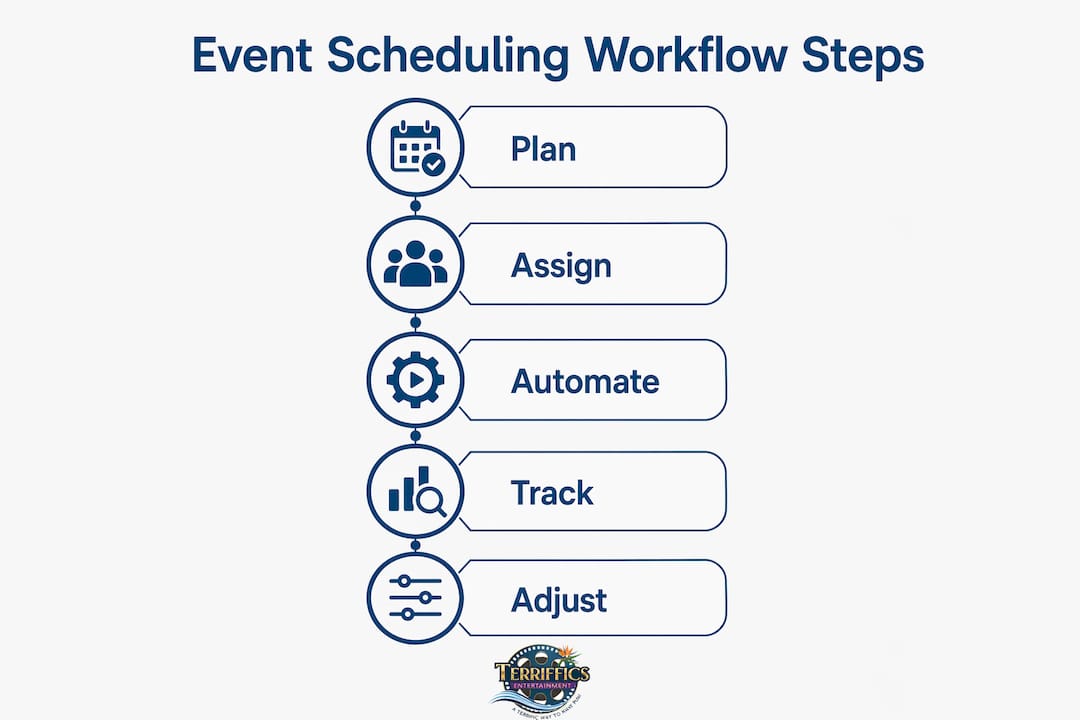
Building your own workflow from scratch is straightforward when you follow a clear sequence. Here is the process we recommend:
Identify your bottlenecks. Before building anything, map your last three events and mark where delays, miscommunications, or budget surprises occurred. Your workflow should solve real problems, not theoretical ones.
Map out phases with entry and exit criteria. Each phase needs a clear starting condition and a clear completion condition. “Vendor selection” does not end when you find a vendor. It ends when the contract is signed and the deposit is confirmed.
Define task owners, deadlines, and dependencies. Every task needs one named owner, a due date, and a list of tasks it depends on. Use a tool like Airtable or Fuzen to make these relationships visible.
Automate follow-ups and task triggers. Set up your workflow so that completing one task automatically creates the next one. Vendor contract signed triggers deposit invoice. Deposit confirmed triggers venue layout request.
Set budget thresholds and alerts. Define the percentage or dollar amount at which a budget alert fires. Do not wait until you are 20% over budget to find out.
Build your run-of-show with contingency notes. Use a wedding music flow guide or similar reference to structure timing for entertainment-heavy events. Assign one person to own real-time communication on event day.
Conduct a post-event review within 72 hours. While details are fresh, document what worked and what did not. Update your workflow templates before the next event so the same problem never happens twice.
Pro Tip: Do not build your workflow in a document. Build it in a tool that enforces the structure, like Fuzen or Airtable, so that task dependencies are visible and automated reminders fire without anyone having to remember to send them.
Key takeaways
A structured event schedule workflow built on defined phases, clear task ownership, and targeted automation is the most reliable way to deliver consistent, on-budget events at any scale.
Point | Details |
Workflows beat checklists | Workflows define who, when, and in what order, making them essential for multi-vendor events. |
Automation saves hours | AI scheduling tools reduce scheduling time by 60% to 80% compared to manual methods. |
Separate your timelines | Keep a master planning timeline and a role-filtered run-of-show to reduce overload. |
Define phase criteria | Entry and exit criteria per phase prevent scope creep and premature task execution. |
Post-event reviews matter | Reviewing within 72 hours and updating templates prevents the same problems from recurring. |
What we have learned from years of event coordination
The biggest shift we have seen in event planning is not the tools. It is the mindset. Planners who treat their workflow as a living system, one they update after every event, consistently outperform those who rely on the same template year after year. The template is a starting point, not a finished product.
We have also noticed that automation works best when it handles the predictable and humans handle the unpredictable. Let your tools fire reminders, track budgets, and trigger task lists. Save your attention for the moments that require judgment: a vendor who goes quiet two weeks out, a client who changes the guest count the week before the event, a venue that has a last-minute conflict. Those are the moments where experience and relationships matter more than any software.
The planners who get the most out of AI tools are not the ones who automate everything. They are the ones who use automation to free up attention for the decisions that actually require a human. That balance is what separates good coordination from great coordination.
One more thing worth saying directly: generic templates will only take you so far. A workflow built for a 500-person corporate conference does not translate to a 50-person birthday celebration without significant adjustment. The structure transfers. The specifics do not. Build your workflows around the real events you run, and they will serve you far better than any off-the-shelf solution.
— Terriffics
Let Terrifficsentertainment make your event day effortless
Planning a great event takes a solid workflow. Executing it takes reliable partners who show up on time, set up fast, and deliver an experience your guests will talk about.
At Terrifficsentertainment, we make vendor coordination easy. Our photobooth rental Oahu service fits cleanly into any event timeline, with fast setup and zero guesswork on your end. Need DJ, karaoke, and a photo booth in one package? Our DJ photobooth karaoke rental bundles are built to flex around your schedule. We serve weddings, graduations, corporate events, and community gatherings across all of Oahu. Get in touch and let us handle the entertainment side of your workflow.
FAQ
What is an event schedule workflow?
An event schedule workflow is a structured system that defines tasks, task owners, deadlines, and dependencies across every phase of event planning. Unlike a checklist, it manages the order and relationships between tasks to keep complex events on track.
How is a workflow different from a checklist?
A checklist is static and lists tasks without context. A workflow defines who completes each task, when it must be done, and what must happen before it can begin, making it far more effective for managing multiple vendors and stakeholders.
What tools are best for event schedule workflow management?
Platforms like Fuzen, ApolloScheduler, and Airtable are widely used for event workflow management. Google Calendar and Morgen handle scheduling automation, while PowerAutomate and IBM Workflows manage conditional task logic and integrations.
How much time can automation save in event scheduling?
AI-driven scheduling engines reduce scheduling time by 60% to 80% compared to manual methods. That time savings compounds across multiple events, freeing planners to focus on client relationships and day-of execution.
What should a run-of-show include?
A run-of-show should include a minute-by-minute event timeline, named task owners for each segment, vendor arrival and setup times, and a fallback plan for each major segment in case of delays or disruptions.
Recommended
Comments