
_edited.png)

Photo Booth Power: Load Math & Venue Scripts for Event Planners

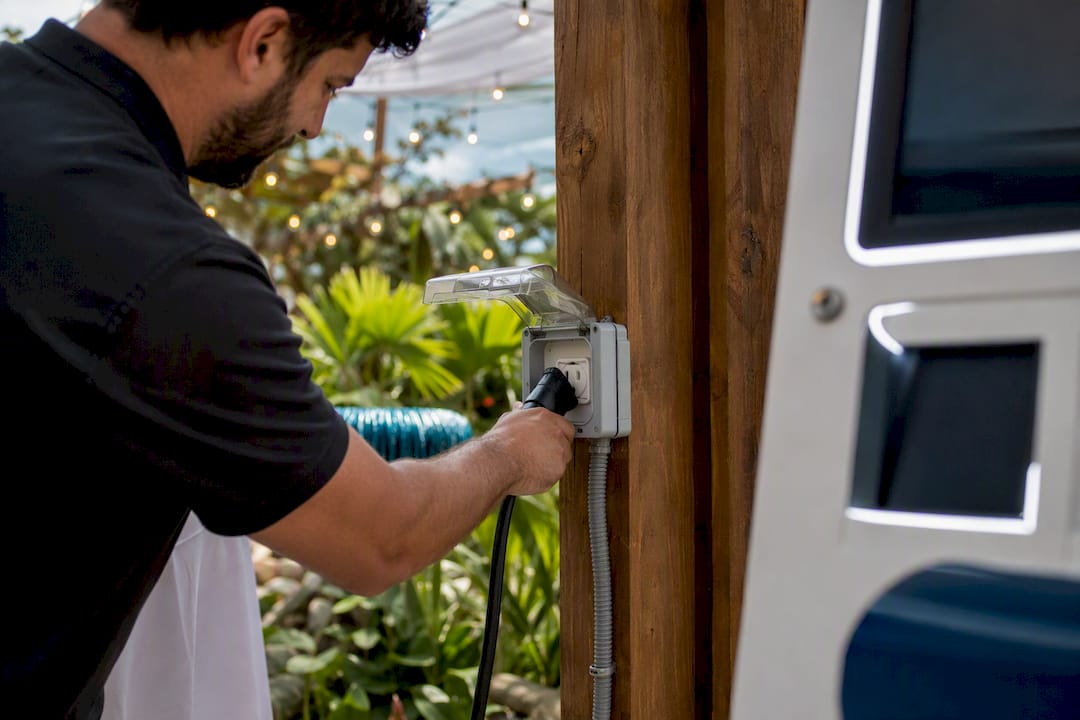
Your photo booth needs one dedicated standard household voltage outlet on its own appropriately rated circuit, located within 25 to 50 feet of the setup. Most breaker trips happen because that outlet gets shared with the DJ, the bar, or catering equipment, not because the booth itself draws too much power. Printers are the biggest wildcard: they surge hard at startup, and outdoors, that outlet needs GFCI protection no matter what else is confirmed.
TL;DR:
Most power outages occur due to shared circuits with DJ, bar, or catering equipment, not because the booth’s power draw exceeds limits.
Distance affects voltage stability, so keeping cords within 25 to 50 feet is crucial to prevent printer shutdowns and power issues.
Outdoor and event sites require GFCI protection and proper grounding, especially for printers that surge at startup.
Accurate wattage calculations and including a 20 to 25% surge buffer are essential to size backup power solutions effectively.
Confirming dedicated, correctly rated circuits before the event reduces the risk of outages and simplifies troubleshooting if power fails.
Table of Contents
What Reliable Photo Booth Power Setup Actually Requires
A dedicated circuit is non-negotiable. That means one dedicated outlet serving only the booth, isolated from other high-load equipment. This single point of failure causes more mid-event outages than any equipment problem does, according to guidance repeated across event planning resources.
Standard booths usually run on typical household circuits, with higher rated circuits advised for heavier setups when your setup includes a print-heavy kiosk, extra ring lighting, or the venue is running fans or space heaters nearby that might tempt someone to plug into your circuit.
Distance matters more than people expect. The 25 to 50 foot range isn’t arbitrary. Longer cord runs cause voltage drop, which stresses your printer’s power supply and can cause intermittent shutdowns that look like a hardware problem but are actually an electrical one.
A few setup habits protect the gear itself:
Plug your booth computer or tablet into a surge protector at minimum.
Add a small UPS (uninterruptible power supply) if you’re running paid corporate events where a flicker can’t cost you guest data.
Confirm the outlet is a standard 110 to 120V household type, not a 220V appliance outlet some banquet halls use for kitchen equipment.
Pro Tip: Ask the venue for the outlet’s exact location before you finalize your floor plan. A gorgeous booth placement 60 feet from the nearest outlet turns into a logistics headache on event day.
How Do You Calculate Your Booth’s Power Draw?
Wattage math is simple once you know where to look. Every device has a rating either in watts or amps printed on its power brick or nameplate. Add them up, divide by 120V, and you get the amps your setup actually pulls.
List every powered component: camera or iPad, lighting, computer, router, printer.
Find the wattage for each (check the spec sheet or power adapter label).
Add the wattages together for a total watt figure.
Divide total watts by 120 to get amps drawn.
Add a 20 to 25% buffer for startup surges and aging venue wiring.
Real numbers make this concrete. A basic iPad-style booth without a printer typically draws around typical power draw levels consistent with common small photo booth setups, according to Foto Master’s electrical specs. Add a DNP-class printer and that same setup can jump to higher power draw ranges seen when a photo booth includes a printer. A retro-style booth follows a similar pattern: roughly 180W without a printer, climbing to about a higher power draw example for photo booths equipped with printers installed.
That 480W example works out to current draw within normal circuit capacity, with surges possible during startup. A photo booth power calculator can run these numbers for your exact gear list if you’d rather not do it by hand.
When Do You Need Battery or Generator Backup?
Outdoor weddings, park events, and rooftop parties often don’t have a convenient outlet anywhere near your booth location. That’s when portable power stops being optional.
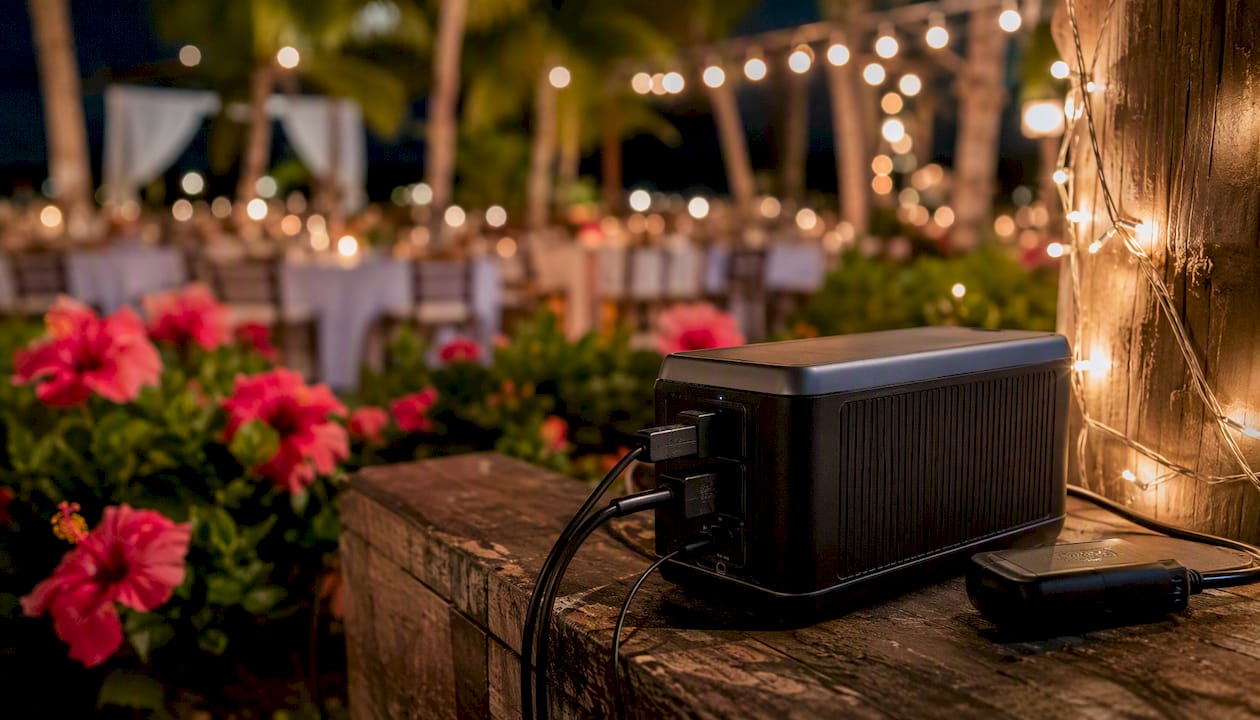
Battery-based power stations are rated in watt-hours (Wh), and sizing one is straightforward: take your total wattage draw and multiply by the hours you’ll run the booth. A 400W setup running for 5 hours needs roughly 2,000Wh of capacity, plus buffer. Products built specifically for this job, like the PBF Power Pack, are marketed to run photo booth setups off-grid so you skip the 100 foot extension cord snaking across a lawn.
Generators solve the same problem differently, and they carry their own rules:
Ground the generator per the manufacturer’s instructions before connecting anything.
Keep fuel and exhaust well away from guests, especially at indoor-adjacent tented events.
Never assume a “shared” generator someone else brought is safe to piggyback on. It’s often already loaded with catering equipment.
Broader guidance on portable power distribution for events covers the tradeoffs between battery and generator approaches in more depth if your event site has no grid power at all.
Pro Tip: Battery packs eliminate long cord runs but printers still spike on startup. Size your Wh capacity for the surge, not just the steady draw, or you’ll trip the pack’s internal protection mid-event.
Extension Cords, GFCI, and Cabling Rules That Prevent Trips
Heavy-duty, event-grade extension cords aren’t a luxury purchase. Thin household cords overheat under sustained load and are the fastest way to turn a working circuit into a fire hazard.
Never daisy-chain multiple extension cords together; run one properly rated cord for the full distance instead.
Match cord gauge to run length: longer runs need thicker gauge to avoid voltage drop.
Outdoors, the outlet and every connection point need GFCI protection, full stop, per standard event electrical guidance.
Cover and elevate connection points with cord covers or gaffer tape rated for flooring, never standard packing tape that leaves residue or lifts under foot traffic.
Route cords away from walkways, or use rubber matting where crossing a path is unavoidable.
Surge protectors handle everyday spikes. A UPS goes a step further by keeping your computer or tablet running through a brief outage, which matters most for the device holding your session data and payment processing, if applicable. Protect that device first if you can only afford one piece of backup gear.
Your Venue Power Coordination Checklist
Confirming power before event day eliminates most surprises. A quick walkthrough or phone call with venue staff, following a checklist like the one used by professional booth operators, catches problems while there’s still time to fix them.
Ask if there’s a dedicated outlet available within a reasonable distance from your booth location.
Confirm that outlet isn’t on the same circuit as the DJ, bar, or catering equipment.
Locate the breaker panel and ask who’s authorized to reset it during the event.
For outdoor setups, confirm the outlet is GFCI protected.
Request an outlet map or written circuit notes if the venue has one on file.
Test the actual outlet during setup, not just before the event.
If the venue can’t confirm a dedicated circuit, you have three options: proceed and monitor closely, request a temporary generator, or relocate the booth to a spot with confirmed power.
What to Do When Your Booth Loses Power
A dark booth mid-event doesn’t have to mean a dark booth for the rest of the night. Work through these steps in order:
Unplug anything sharing the circuit that isn’t essential to the booth itself.
Test a different outlet nearby before assuming the whole circuit is dead.
Move the printer to a separate outlet if one’s available. Printers are usually the culprit behind a sudden trip.
If the breaker tripped, check what else is on that circuit before resetting it. Resetting without removing the shared load just trips it again.
If none of that restores power within a few minutes, escalate to venue staff or an on-site electrician, or switch to your backup battery.
Keeping a compact battery pack in your kit, even a small one, buys enough runtime to finish the current session while you sort out the fix.
Why We Treat Power Planning as Non-Negotiable
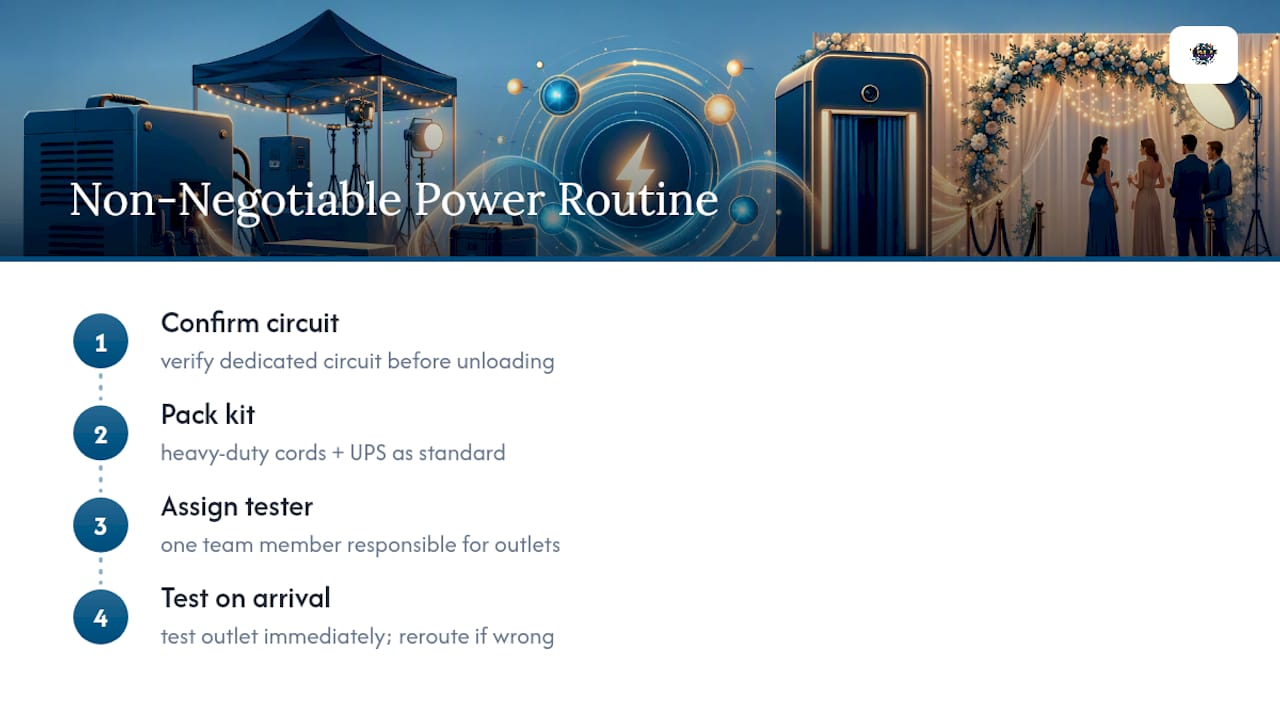
Terrifficsentertainment has staged photobooth setups across venues all over Oahu, and the pattern is consistent: outages almost never come from equipment failure. They come from skipped power checks. Our setup routine includes confirming the dedicated circuit before we ever unload gear, packing heavy-duty cords and a UPS as standard kit, and assigning one team member to test the outlet the moment we arrive.
One outdoor wedding stands out. A quick pre-event outlet test revealed the “dedicated” outlet a coordinator had promised was actually feeding the catering tent’s warming trays. Fifteen minutes of rerouting before guests arrived meant zero disruption during toasts.
— Terriffics
Turnkey Power Planning Without the Guesswork
Terrifficsentertainment handles every step of power planning we just walked through, so you don’t have to run load calculations or email a venue’s facilities manager yourself. We confirm dedicated circuits before your event date, bring heavy-duty event-grade cords and surge protection standard, and test every outlet on-site before your guests arrive.
If your venue can’t guarantee a stable outlet, or you’re planning an outdoor celebration with no grid power nearby, we bring backup options to keep your booth running without interruption. That’s the difference between hiring a rental unit and hiring a team that already solved this problem hundreds of times across Oahu. Check availability and get a quote for your date through our photobooth rental page, and we’ll walk through your venue’s power setup together before you sign anything.
Quick Reference: Power Planning Resources
For deeper technical specs, the Foto Master electrical specification pages break down exact wattage by booth model. Use the power station calculator to size a battery pack for your specific gear list. For broader venue logistics beyond power, our space requirements checklist covers placement, footprint, and cord routing together.
Sources
Recommended
Comments