
_edited.png)

Photo Booth Print Sizes: Quick Picks and Template Specs

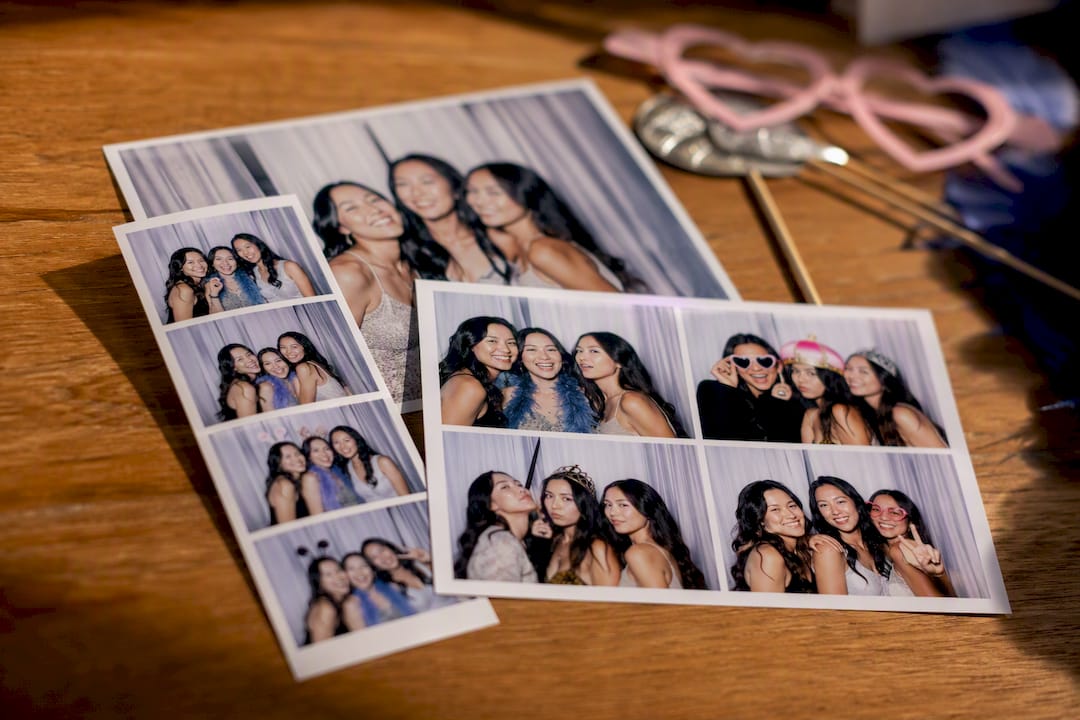
Three standard sizes cover nearly every event: the 2×6 strip for classic, high-volume fun; the 4×6 postcard for branding and framing; and larger formats such as 5×7 or square prints for premium keepsakes. Pick 2×6 for weddings, birthdays, and any party where guests want a quick, pocketable memento. Pick 4×6 when a corporate activation or upscale event needs room for a logo, a bigger photo, or a frame-worthy print. Design every template at 300 DPI and match it to your printer’s actual paper size before you build a single layout.
2×6 strip: nostalgic, cheap to print in bulk, easy to slip into a wallet or card.
4×6 postcard: more design space, better for branding, still easy to frame.
5×7 or square: premium feel, fewer prints per sheet, best for smaller guest counts.
Quick fact: at 300 DPI, a 2×6 strip measures 600 × 1,800 pixels, while a 4×6 print measures 1,200 × 1,800 pixels, the two numbers every designer needs before opening a template file.
Key Takeaways
Print size decides both the guest experience and the printer workflow, and matching them correctly before the event prevents cropped photos and slow lines.
Point | Details |
Pick by event goal | Choose 2×6 strips for parties and weddings, 4×6 postcards for corporate branding and framing. |
Design at 300 DPI | Build a 2×6 template at 600 × 1,800 pixels and a 4×6 at 1,200 × 1,800 pixels. |
Confirm printer media first | Mismatched paper sizes cause white borders, cropping, or stretched images. |
Use the 4×6 cut trick | Printing on 4×6 paper and cutting two 2×6 strips doubles throughput per sheet. |
Match booth to your event | Terrifficsentertainment’s Oahu photo booth prints both 2×6 and 4×6 formats in one flat package. |
Table of Contents
Photo Booth Print Sizes and What They Actually Look Like
Every photo booth format trades space for portability, and once you see the real dimensions side by side, the decision gets a lot easier.
2×6 strip: the classic vertical strip, usually holding three or four small photos stacked in a column. It is 600 × 1,800 pixels at 300 DPI and remains the most widely stocked format across rental booths.
4×6 postcard (portrait or landscape): a single larger image or a small collage, sized at 1,200 × 1,800 pixels at 300 DPI. This is the format most corporate clients ask for.
4×4 square: a social-media-friendly shape that mirrors Instagram’s grid, popular for step-and-repeat brand walls.
2×8 jumbo strip: an extended strip with room for four or five frames, less common and dependent on printer support.
5×7: measures 1,500 × 2,100 pixels at 300 DPI, a step up in size that suits smaller guest lists or VIP keepsakes.
6×8: the largest common option, closer to a poster print than a strip, and the least available at rental events.
A common lineup of practical templates includes 2×6, 4×6 portrait, 6×4 landscape, 5×7 portrait, and 6×8 portrait, with 2×6 staying the most popular default and 4×6 offering the widest design flexibility. Sizes beyond 5×7 usually require specialty paper stock, so confirm availability with your rental provider before locking in a template.
Layouts and How Many Photos Each One Holds
The size you pick decides the paper, but the layout decides how many photos guests actually get in their hands.
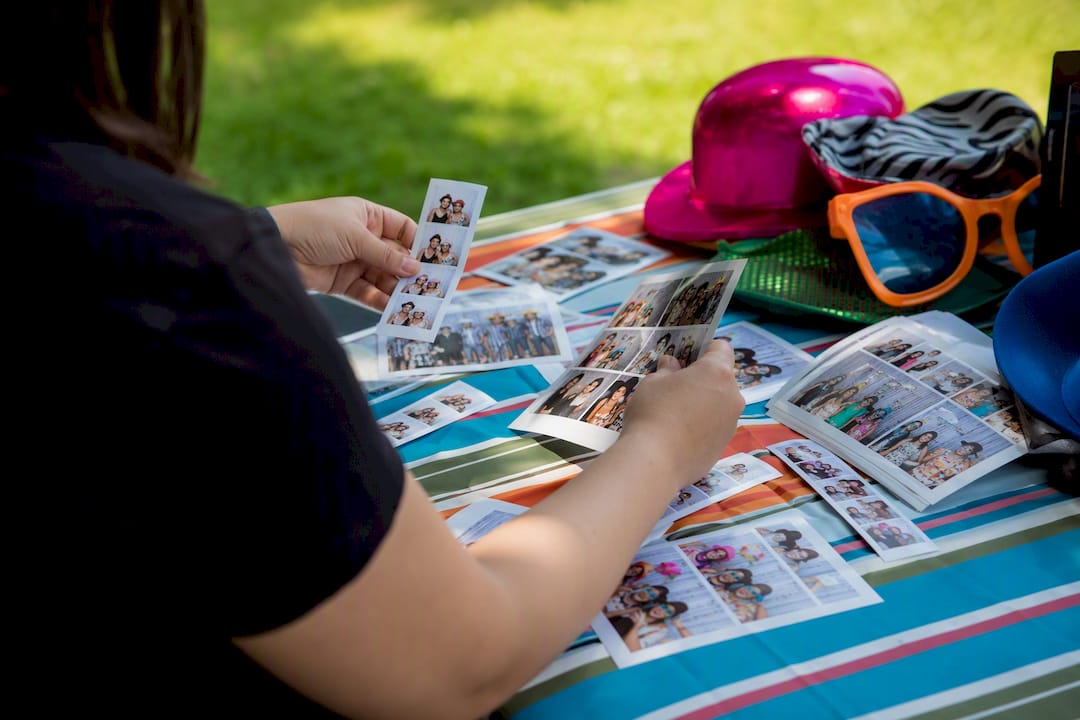
Vertical strip templates typically run 3-up or 4-up, meaning three or four separate frames stacked on a single 2×6 strip. Each frame on a 3-up layout gets more breathing room; a 4-up layout squeezes in an extra shot but shrinks each image. Postcard and larger formats favor grid or single-image layouts instead: a 4×6 might hold one large photo, a 2×2 grid of four smaller ones, or a 3-up horizontal row. A 5×7 grid gives even more room to combine group shots with a logo strip along the bottom.
Orientation matters just as much as photo count. A portrait 4×6 behaves differently in booth software than a landscape 6×4, and switching orientation after guests start shooting usually means rebuilding the template from scratch. Decide orientation and photo count together, before the event, not during setup.
How Photo Booth Printing Actually Works
Most rental printers are dye-sublimation machines built around 4×6 media, since that paper size is the practical default across the industry. Here’s the workflow that makes 2×6 strips possible: printers load a full 4×6 sheet, print two separate 2×6 designs side by side, then an internal cutter slices the sheet into two finished strips. One sheet, two keepsakes, half the paper cost per guest.
Before finalizing any template, check these three things:
Confirm your printer’s supported media sizes. Printing a layout that doesn’t match supported paper often creates white borders, stretching, or awkward cropping.
Verify the auto-cutter setting matches your layout (two 2×6 strips per sheet vs. a single 4×6 print).
Double-check orientation in the booth software before the first test print, not after guests arrive.
Pro Tip: If you’re renting a printer that supports 4×6 media, ask whether it can be configured to cut two 2×6 strips per sheet. It doubles your throughput and keeps guest wait times short during peak hours.
For a deeper look at matching template layout to booth hardware, see our guide on designing a photo booth for any event.
Template Specs: Pixels, DPI, and Bleed Explained
Designers and event techs need exact numbers, not guesses. Every professional template should be built at 300 DPI, and the pixel math below covers the five sizes you’ll use most.
Print Size | Inches | Pixels at 300 DPI |
Classic strip | 2 × 6 | 600 × 1,800 |
Postcard | 4 × 6 | 1,200 × 1,800 |
Jumbo strip | 2 × 8 | 600 × 1,800 |
Square | 4 × 4 | 1,200 × 1,200 |
Keepsake | 5 × 7 | 1,500 × 2,100 |
Getting these numbers wrong by even a few pixels shows up as visible white borders or unwanted cropping on the final print, so build templates at the exact dimensions above rather than rounding.
Bleed and safe area matter just as much as raw pixel count. Reserve roughly 0.125 inches (about 37 pixels at 300 DPI) around every edge as bleed, and keep logos, text, and footers inside a safe area that sits at least 0.25 inches from the trim line. That buffer protects your branding from getting sliced off during cutting.
For resolution: 300 DPI is the standard for anything going to print. 150 DPI is acceptable only for digital-only shares, since anything printed at that resolution will look soft or blurry. On multi-frame strips, remember that per-frame pixel dimensions shrink as photo count rises. A 4-up 2×6 strip splits that 1,800-pixel height across four frames plus spacing, so each individual photo has less room than a 3-up layout.
Choosing the Right Print Size for Your Event
The right size depends on what your guests will actually do with the print once they walk away.
Weddings: 2×6 strips work well for reception favors, while a 4×6 keepsake suits a formal guestbook page. 2×6 tends to fit social, high-volume moments best, while 4×6 suits occasions where framing matters more.
Corporate and brand activations: 4×6 postcards give marketers room for a logo, tagline, or QR code without crowding the photo.
Birthday parties: 2×6 strips keep costs down and let every guest walk away with a fast, fun souvenir.
School events and proms: 2×6 or 4×4 square formats print quickly and hold up well in a locker or backpack.
Hybrid digital-first activations: pair a printed 2×6 strip or 4×6 print with a square or 9:16 portrait digital file built for social sharing.
Throughput matters more than most planners expect. A wedding with 150 guests moves faster with 2×6 strips cut two-per-sheet than with single 4×6 prints, simply because each sheet does double duty. For more keepsake-specific ideas, our guestbook idea roundup breaks down which formats work best for a bound album versus a loose print.
Paper Finishes and Material Options Worth Knowing
The paper itself changes how a print feels in someone’s hand, not just how it looks.
Glossy: the standard choice for vivid color and contrast, and the fastest to dry for high-volume events.
Matte: a softer, more elegant look that suits formal weddings and upscale corporate branding.
Metallic: adds a shine that makes colors pop, often reserved for premium packages.
Sticker paper: turns a strip into an instant sticker, a novelty guests notice immediately and tend to keep.
Specialty media like metallic or sticker stock usually prints slower and costs more per sheet, so confirm your printer supports it before promising it to a client. Heavier paper stock feels more premium in hand but can jam certain printers if the media isn’t rated for it. Whatever finish you choose, keep prints away from direct sun and handle edges carefully. Glossy and metallic finishes scratch more easily than matte.
What Most Advice Gets Wrong About Print Size
Most guides treat 2×6 versus 4×6 like a competition with a winner. It isn’t. Neither size is strictly better, since 2×6 delivers the nostalgic, high-volume guest experience while 4×6 delivers more branding and framing flexibility. The actual question is what your guests will do with the print in the days after the event.
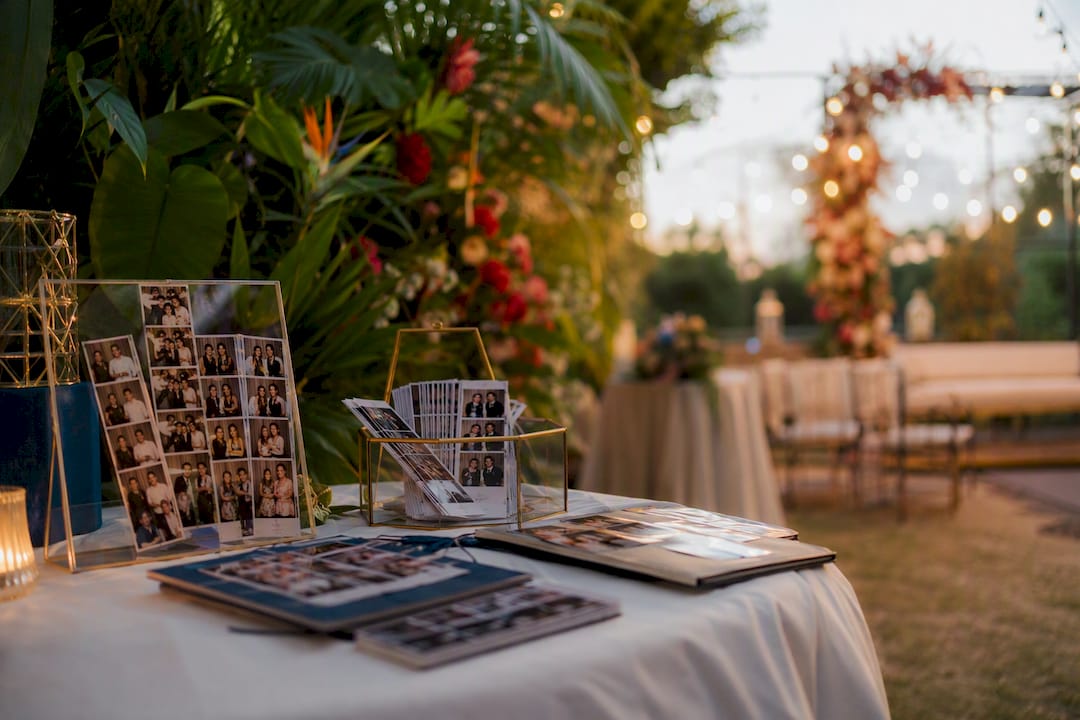
The bigger gap we see in typical advice is the assumption that one size fits an entire event. A wedding reception can run 2×6 strips for the dance floor crowd while offering a 4×6 or 5×7 print at a dedicated portrait station for the wedding party. That mixed approach gets ignored constantly because most rental guides are written to sell one printer, not to solve a planner’s actual guest experience.
If we had to name the one thing planners underweight, it’s throughput math. A 4×6 sheet cut into two 2×6 strips prints roughly twice as many keepsakes per hour as a single 4×6 print run, and at a 200-person event, that difference decides whether your line moves or backs up. Size choice is a math problem before it’s a design problem.
Book a Photo Booth Built Around the Right Print Size
Terrifficsentertainment runs an AI-powered photo booth across Oahu that prints both classic 2×6 strips and 4×6 postcard keepsakes, so you’re not locked into one format before you even know your guest count. Unlike a DIY booth rental where you’re stuck configuring printer settings and template files yourself, our setup team handles the paper size, layout, and branding before your event starts.
That means a wedding can run 2×6 strips for the reception and a 4×6 keepsake station for the wedding party, using the same booth and one flat package price. Browse real print examples and booth setups in our event gallery, or check our Oahu rental planning guide for logistics on space and paper supply. If you’re planning a wedding specifically, our wedding photo booth guide covers which print size fits your reception style. Ready to lock in your date? Reach out for a quote and we’ll match the print size and layout to your event before you sign anything.
Frequently Asked Questions
What is the most common photo booth print size? The 2×6 strip is the most widely available format at rental events, mainly because printers can cut two strips from a single 4×6 sheet, keeping cost per guest low.
Is 4×6 or 2×6 better for a wedding? Neither is strictly better. 2×6 strips suit the reception crowd who want a fast, fun keepsake, while a 4×6 print works better at a dedicated portrait station where framing matters.
What resolution should I use for photo booth templates? Design at 300 DPI for anything going to print. A 2×6 strip at that resolution is 600 × 1,800 pixels, and 150 DPI should only be used for digital-only sharing files.
Can any printer handle a 5×7 or 2×8 print size? No. Larger and less common sizes like 5×7 or 2×8 jumbo strips depend on specific paper stock and printer support, so confirm compatibility with your rental provider before designing a template.
Does print size affect how much space I need for a booth? For more details on venue and setup considerations, see Book The Space | Studio & Event Rental in Providence, RI. Yes. Larger formats like 5×7 or 6×8 often require bigger printers and more paper storage, which can affect how much venue space your setup needs on-site.
Sources
Recommended
Comments