
_edited.png)

Wired under $150 vs Wireless $300+: Which Mic to Choose for Your Event

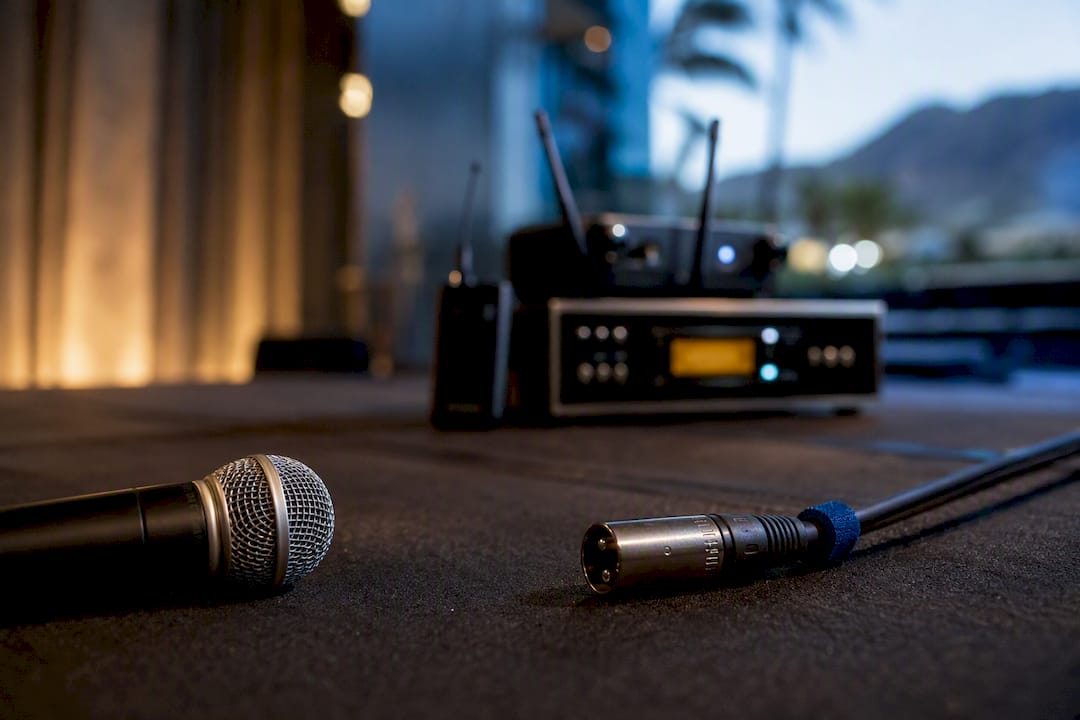
Pick wired for anything stationary or critical, like a podcast desk or a fixed ceremony mic. Pick wireless when you need to move, like a roaming host or a dance-floor emcee. That single rule solves most wired vs wireless microphone decisions before you even open a spec sheet. Professionals lean on production context, not brand hype, to make the call, and Terriffics Entertainment builds its event setups the same way.
TL;DR:
Wireless microphones are essential for moving performers, but they require careful RF interference management and regular battery checks.
Wired microphones offer superior sound quality, zero latency, and lower long-term costs, making them best for fixed-position or critical audio setups.
Venue environment, movement needs, and event duration should guide the choice; wireless is preferable for flexible mobility, wired for stationary, high-stakes recording.
Testing actual wireless coverage in the venue beforehand is crucial, as real-world range often falls short of manufacturer specifications due to obstacles and interference.
Renting professional equipment simplifies operational risks like interference and power, especially for single-event use, by ensuring on-site testing and maintained gear.
Table of Contents
Sound Quality, Latency, and Monitoring: What Actually Changes the Sound
Reliability, Interference, and Battery Management: Operational Checklist
How to Choose: Selection Checklist and Red Flags to Watch For
Frequency Spectrum Regulations and Legal Considerations for Wireless Microphones
Range and Signal Coverage Limitations of Wireless Microphones
Wired vs Wireless Microphone: Quick Pros and Cons
Before you dig into the technical weeds, it helps to see the tradeoffs side by side. Neither format wins outright. Each one solves a different problem, and the “best microphone type” question really depends on whether your priority is signal integrity or freedom of movement.
Wired microphone benefits:
Zero latency and a clean, uncompressed signal path from capsule to speaker
Lower upfront cost, since there’s no transmitter, receiver, or battery hardware to buy
Nothing to charge, pair, or lose mid-event
Wired microphone drawbacks:
Cable length limits where the speaker or performer can stand
Trip hazards and cable runs to manage in tight venues
Awkward for multiple presenters passing a single mic
Wireless mic pros:
Full mobility for performers, hosts, or presenters working a room
Discreet lavalier placement for video and stage work
Multiple performers can each carry their own transmitter without cable clutter
Wireless mic disadvantages:
Battery management adds a layer of pre-event prep
RF interference and dead spots in crowded venues
Higher cost per channel, since wired mics tend to be significantly less expensive than comparable wireless systems
If you’re weighing budget wired microphones against a wireless upgrade, that cost gap alone often settles the debate for stationary setups.
Sound Quality, Latency, and Monitoring: What Actually Changes the Sound
A wired mic sends its signal straight through an XLR or USB cable with nothing altering it along the way. A wireless mic converts that same signal to radio frequency, transmits it, then decodes it on the receiving end. That extra step is where wired audio quality pulls ahead, at least on paper.
Modern digital wireless systems keep that conversion fast, with latency often low enough to be imperceptible for recorded video. For recorded video, that delay is invisible to viewers. For live monitoring, where a singer hears their own voice through in-ear monitors, even small delays can throw off timing and feel disorienting on stage.
The other factor is companding, the compression and expansion process wireless systems used to squeeze audio into a radio channel and rebuild it on the other end. Companding can introduce subtle coloration that a trained ear picks up on critical recordings, even if casual listeners never notice. Wired signals skip that process entirely.
None of this means wireless sounds bad. Top-tier wireless systems can now deliver broadcast-ready audio for many applications, and the gap has narrowed a lot over the past decade. But wired still gives you more audio per dollar when the mic never has to leave its stand, and latency under about 20 milliseconds is acceptable for recorded video but may be noticeable in tight musical timing scenarios during live performance.
Mobility and Use Cases: Match Mic Type to Real Scenarios
The clearest way to settle which microphone is better for your event is to match the format to the failure consequence. A dropped signal during a wedding toast is a bigger problem than a dropped signal during a rehearsal.
Run-and-gun video and vlogging. A wireless lavalier or clip-on mic lets you move through a scene without dragging cable, which is why wireless dominates content creation and interview-style shoots.
Presenters and keynote speakers. A handheld or headset wireless mic frees the speaker to walk the stage, gesture, and engage the crowd instead of standing tethered to a podium.
Fitness, dance, and live entertainment. Wireless is close to mandatory here. Nobody wants a cable wrapped around an emcee working a dance floor or a fitness instructor demonstrating moves.
Studio recording and podcasting. A fixed desk setup with one or two speakers rarely benefits from wireless. Wired remains the standard for recording studios and fixed-position podcasting because it removes RF and battery risk entirely.
Fixed broadcast and ceremony audio. A wedding officiant standing at one spot, or a corporate presenter locked to a lectern, gets the same reliability benefit as a studio setup.
The guideline holds across all five: choose by format first, then by what happens if the mic fails mid-event. A dropped wireless signal during a five-minute toast is recoverable. A dropped signal during a two-hour ceremony broadcast is not.
Reliability, Interference, and Battery Management: Operational Checklist
Wireless systems introduce two operational risks wired mics simply don’t have: radio frequency problems and battery life. Neither is a dealbreaker, but both need planning.
RF interference shows up most in crowded venues, like hotel ballrooms, conference centers, or anywhere with dozens of other wireless devices competing for spectrum. Frequency coordination and proper antenna placement are essential in these environments to avoid dropouts and intermodulation. Dead spots tend to appear behind metal structures, large crowds, or thick walls between the transmitter and receiver.
Battery planning matters just as much. A few habits keep wireless systems reliable:
Charge or replace batteries before every event, never assume yesterday’s charge carries over
Carry at least one spare battery per transmitter, ideally two for multi-hour events
Run a fresh spectrum scan on-site rather than trusting last week’s settings
Keep a wired handheld or lavalier microphone as a backup so a dead battery doesn’t stop the show
Pro Tip: Label your spare batteries with the date they were charged. A drawer full of “maybe charged” batteries is how backup plans quietly fail.
Cost and Long-Term Maintenance: Upfront vs Ongoing Costs
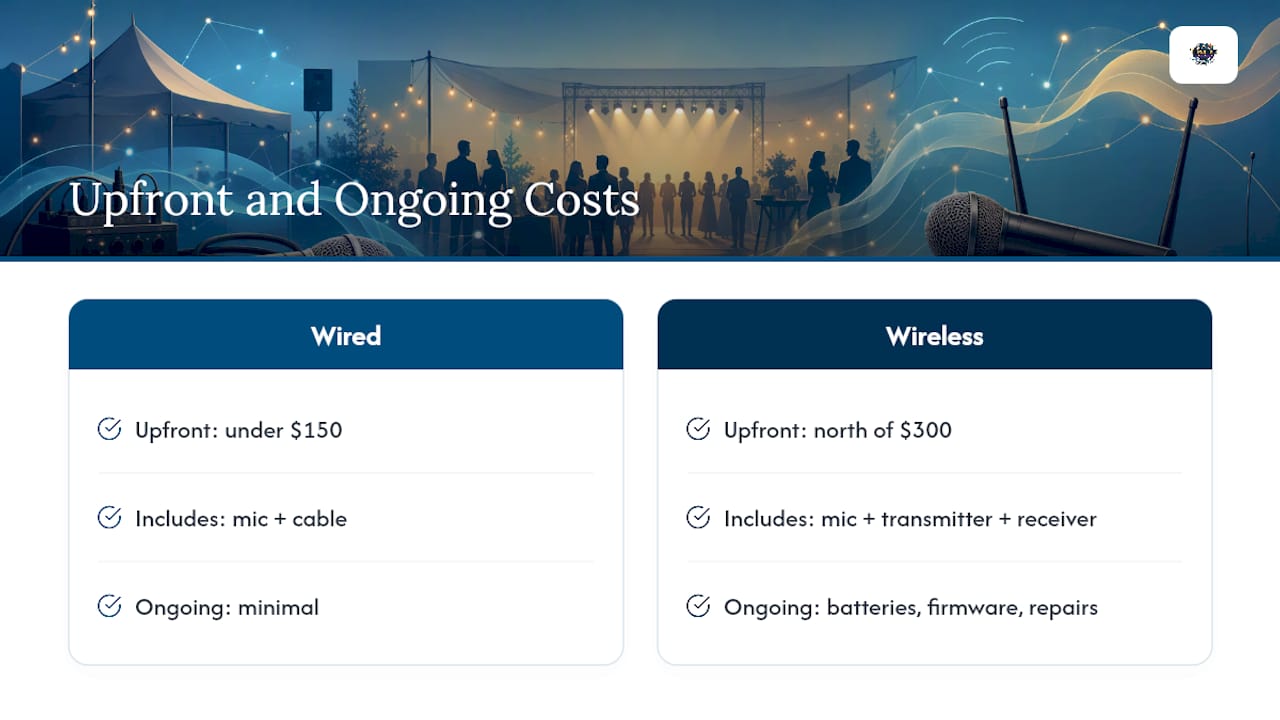
Wired microphones win on cost almost every time you compare them dollar for dollar. Wired units run roughly one-third the price of comparable wireless systems, and that gap widens once you factor in what wireless requires beyond the mic itself: a transmitter, a receiver, and a steady supply of batteries.
A simple example makes the math clear. A solid wired dynamic mic and cable might run you under $150 total. A comparable wireless system with transmitter and receiver often starts north of $300, before you’ve bought a single battery. Add rechargeable battery packs, occasional firmware updates, and the eventual repair or replacement of a dropped transmitter, and the gap grows every year you own the gear.
That’s not an argument against wireless. It’s an argument for buying wireless only when mobility is a real requirement, not a nice-to-have. If your event is one-off rather than recurring, renting wireless gear for the day often makes more financial sense than owning it outright, especially once you weigh in the maintenance and battery routines that come with ownership.
How to Choose: Selection Checklist and Red Flags to Watch For
Professional sound engineers make this decision the same way every time: by production context, not by assuming wireless is automatically the better choice. Here’s the checklist that framing produces.
Mobility need. Will the speaker or performer move more than a few feet from a fixed point? If yes, wireless is likely required.
Monitoring and latency requirement. Does a performer need to hear themselves in real time with tight timing? Wired removes that risk entirely.
RF density of the venue. Hotels, convention centers, and anywhere with heavy Wi-Fi and Bluetooth traffic increase interference risk.
Battery and runtime needs. How long is the event, and do you have spares ready for every transmitter?
Capsule type. Dynamic mics handle loud, close-up sound better; condenser mics pick up more detail but are more sensitive to handling noise.
Connector standard. XLR remains the professional standard; USB works fine for desktop and streaming setups.
If you’re renting instead of buying, ask the vendor these exact questions: What’s the effective range in this specific venue? What monitoring options come with the system? How many spare batteries are included? What’s the return policy if a channel drops mid-event?
Red flags worth walking away from: a rental service that can’t answer a monitoring question, vague or missing frequency specs, or no wired fallback offered as an option. A vendor confident in their gear will answer all four questions without hesitation.
Practical Tips From Terriffics on Event Workflows
A reliable two-mic strategy is to use a primary wireless handheld for the host or emcee, plus a wired backup mic staged and ready near the sound board. That single habit has saved more than one wedding toast from going silent, as detailed in this wedding band stage requirements guide for couples.
Rentals cut a lot of the operational overhead most hosts don’t think about. Fresh batteries go in before every event, and frequencies get checked on-site rather than assumed. Our event sound system guide walks through a short rehearsal checklist any event host can run 20 minutes before doors open, and our guide on prepping multiple karaoke mics without feedback covers redundancy planning in more detail.
Frequency Spectrum Regulations and Legal Considerations for Wireless Microphones
Wireless microphones operate on radio frequencies regulated by government agencies, which means you can’t just buy any wireless system and use it anywhere. In the United States, the Federal Communications Commission governs which frequency bands are open for wireless microphone use and which are reserved for other purposes, including television broadcast and public safety.
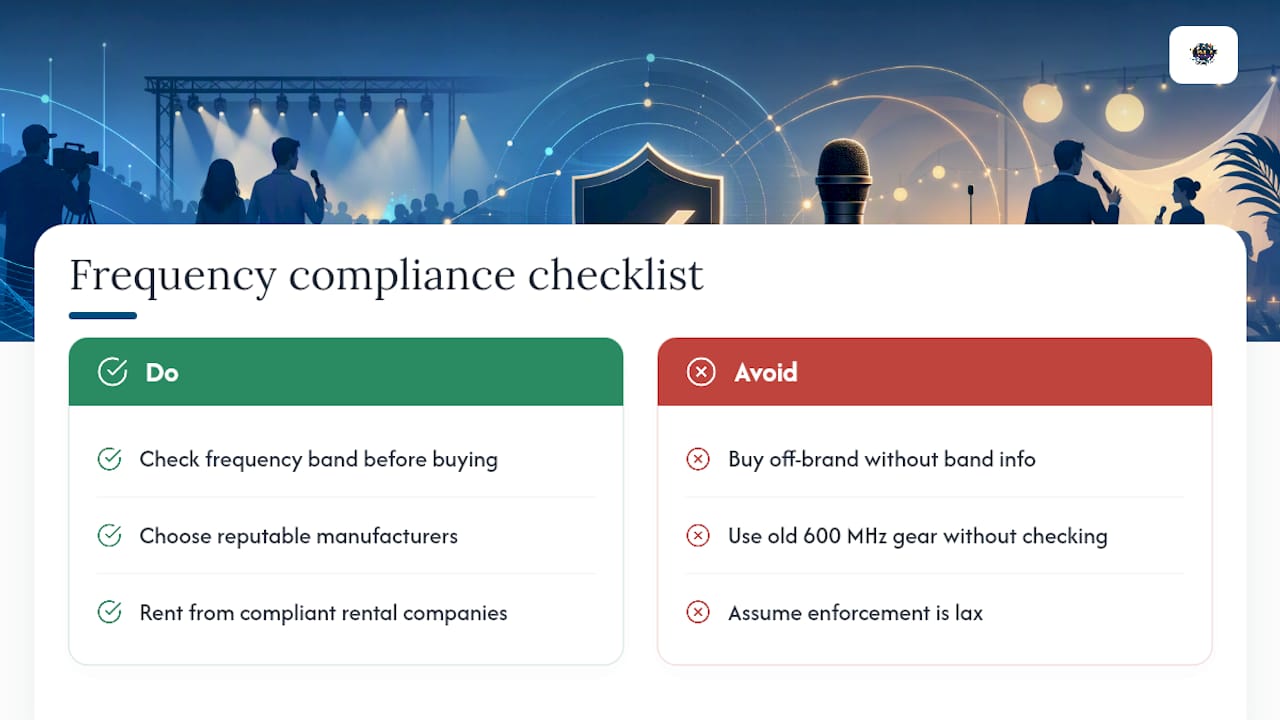
The most important shift over the past decade involves the 600 MHz band. Frequencies that used to be widely available for wireless microphones were reallocated to mobile broadband providers, which pushed a lot of professional wireless gear into narrower, more congested bands. Older wireless systems built for the 600 MHz range may now be operating illegally, depending on when they were manufactured and which frequencies they’re locked to.
For most casual and small-event users, this becomes relevant mainly when buying gear. A reputable manufacturer will list which frequency bands a system operates in and confirm it complies with current allocations. Cheaper, off-brand systems sometimes skip this detail entirely, which is a real risk if you’re using the mic in a market with strict enforcement or dense professional RF traffic, like a downtown convention center.
The practical takeaway: check the frequency band on any wireless system before buying or renting it, especially if you’re using it professionally or in a venue that hosts frequent large events. A rental company that maintains updated, compliant gear removes this headache for one-off users entirely.
Range and Signal Coverage Limitations of Wireless Microphones
Wireless microphones don’t have infinite range, and the number on the box rarely matches real-world performance. Manufacturer range specs are usually measured in open, obstruction-free conditions, which almost never describes an actual event venue.
Walls, metal structures, crowds of people, and even other electronic devices all shrink effective range. A system rated for 300 feet outdoors might struggle past 100 feet inside a hotel ballroom packed with guests and competing Wi-Fi signals. Line-of-sight between transmitter and receiver matters more than raw distance. A performer who steps behind a pillar or backstage wall can lose signal even while standing well within the rated range.
Antenna placement affects coverage as much as anything else. Receivers mounted low, blocked by equipment racks, or positioned far from the performance area create dead spots that have nothing to do with distance and everything to do with obstruction. Raising receiver antennas and keeping a clear sightline to the performer’s expected movement area solves most of these issues before they start.
The practical rule: never plan a wireless setup around the rated range on the spec sheet. Test the actual coverage in the actual venue, at the actual distances the performer will move through, before the event starts. That’s the only way to know if dead spots exist where they’ll actually cause a problem.
Can You Convert a Wired Mic to Wireless?
Yes, but it requires adding an external transmitter, and it’s not a simple plug-and-play upgrade. A standard wired microphone cannot be made wireless without adding a powered transmitter device that clips onto or connects near the mic itself.
The process works by running the mic’s output into a compact beltpack or plug-on transmitter instead of directly into a cable. That transmitter then sends the signal to a matching receiver, which feeds your sound system just like a cable would have. This is common with handheld dynamic mics, where a plug-on transmitter screws onto the base of the mic in place of the XLR cable.
The catch is that this setup introduces the same tradeoffs any wireless system carries: a battery to manage, an RF signal that can drop or face interference, and a small amount of latency that wasn’t there before. You’re not getting a true hybrid that’s immune to wireless downsides. You’re just wirelessly extending a wired mic’s cable, with all the same operational planning that any wireless system needs.
For most users, buying a purpose-built wireless mic ends up simpler than retrofitting a wired one, unless you already own a wired mic with a sound you love and specifically want to keep that capsule.
Final Word: The Decision Rule That Actually Works
Match the mic to the format, not the trend. Stationary, critical audio (podcasts, ceremonies, broadcast desks) belongs on wired. Anything requiring movement belongs on wireless, with a wired backup on hand. Test your setup in the actual venue before the event, build a battery and backup checklist, and never assume a spec sheet reflects real-world range. That single habit prevents more show-stopping failures than any gear upgrade ever will.
— Terriffics
Renting Pro Audio Gear Instead of Managing It Yourself
Buying and maintaining a full wired and wireless setup makes sense for full-time performers, but most hosts planning a wedding, graduation, or corporate event only need reliable audio for one day. That’s where renting solves the exact headaches this article covers.
A professional rental service typically handles frequency checks, fresh batteries, and wired fallback planning before delivering equipment, so you’re not the one troubleshooting a dead transmitter mid-event. Every setup comes pre-tested on-site, whether you need a handheld mic for a graduation ceremony, a wireless lav for a corporate keynote, or a full karaoke system with backup mics ready to go. Our karaoke rental and photobooth rental packages both mix and match with DJ sound and lighting, so you get one reliable setup instead of juggling separate vendors. If you’re weighing a live band’s stage requirements against a managed setup, our DJ or live band comparison breaks down what each format actually needs on-site. Ready to lock in your date? Get a quote for your Oahu event and let us handle the mic checklist for you.
Sources
FAQ
Is a Wired Mic Better Than Wireless?
Wired mics deliver a cleaner, zero-latency signal and cost less, making them better for stationary setups like podcasts or ceremonies. Wireless wins whenever a speaker or performer needs to move.
What Is the 3-to-1 Rule for Microphones?
The 3-to-1 rule states that when using two microphones, the distance between them should be at least three times the distance from each mic to its sound source, which prevents phase cancellation and hollow-sounding audio.
What Are the Disadvantages of Wireless Mics?
Wireless mics require battery management, can suffer RF interference or dead spots in crowded venues, and typically cost more per channel than a comparable wired setup.
Can You Turn a Wired Mic Into a Wireless Mic?
Yes, by attaching an external transmitter, usually a plug-on unit for handheld mics or a beltpack for lavaliers, though this adds the same battery and RF considerations any wireless system carries.
Should I Rent Wireless Gear for a One-Time Event?
Renting from a service like Terriffics Entertainment removes the frequency coordination and battery planning that come with owning wireless gear, which makes sense for weddings, graduations, or corporate events that only need reliable audio for a single day.
Recommended
This article was created with the assistance of AI and reviewed for relevance and accuracy by Terriffics Entertainment. Information may change over time, so readers should verify important details with the appropriate local source.
Comments