
_edited.png)

Karaoke night step by step: your Oahu party guide

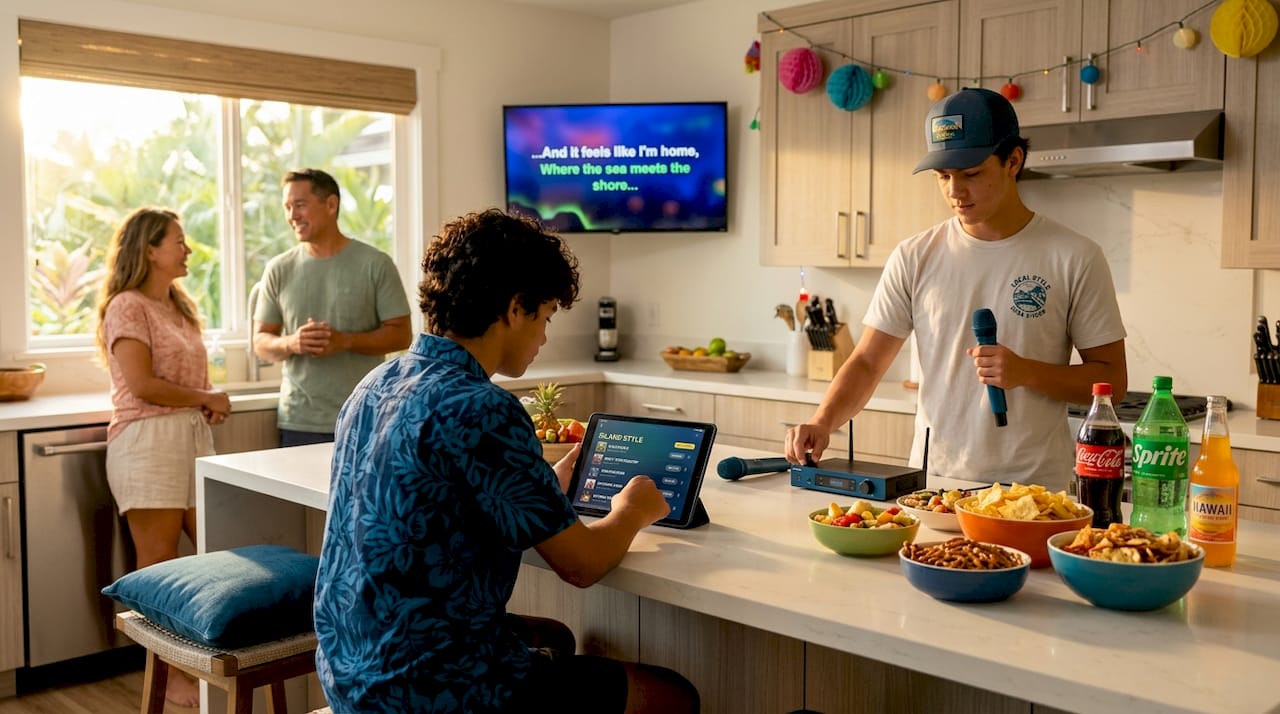
Planning a karaoke night for a birthday or graduation should be exciting, not stressful. But without a clear karaoke night step by step plan, things fall apart fast: mics cut out, guests don’t know when to sing, the playlist runs dry, and energy drops early. We’ve helped hundreds of Oahu families pull off unforgettable celebrations, and we know exactly where the planning gaps show up. This guide covers everything from gear and room setup to guest management, troubleshooting, and even legal considerations, so your event runs smooth from the first song to the last.
Table of Contents
Key Takeaways
Point | Details |
Essential gear | At minimum, use a screen, karaoke content source, wireless microphone, speakers, plus backups to avoid technical issues. |
Ideal party length | Plan karaoke events for about 3 to 4 hours to keep guests energized and engaged. |
Group size matters | Small groups of 6–10 foster intimacy and frequent singing; bigger groups need more organization. |
Playlist variety | Mix upbeat tunes, ballads, and duets; letting guests add songs beforehand maximizes participation. |
Venue compliance | Confirm your venue holds necessary music licenses and accommodates family-friendly needs. |
Essential karaoke gear and room setup for Oahu families
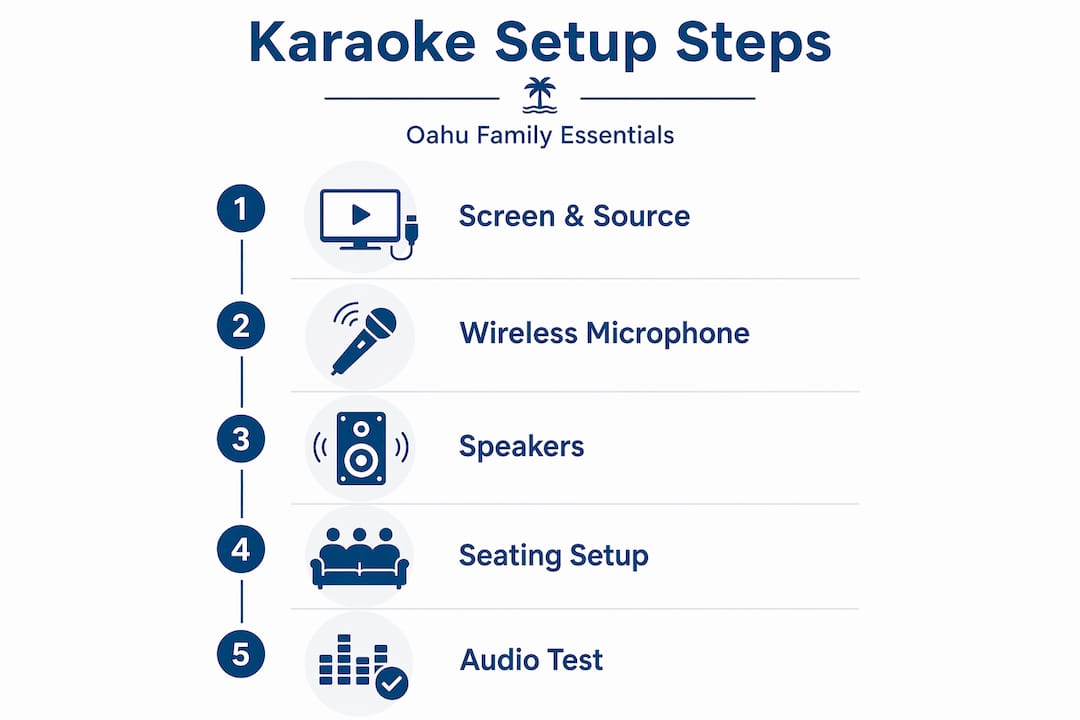
Good karaoke starts with the right equipment in the right space. You don’t need a professional stage, but you do need the basics covered before guests walk in.
Here’s what the minimum kit looks like:
Screen: A TV, laptop, or tablet works fine. Bigger is better for groups larger than eight.
Karaoke source: Streaming apps (like KaraFun or Smule), YouTube karaoke channels, or a dedicated karaoke player all work.
Wireless microphone(s): At least one wireless mic keeps the performer free to move. Two is ideal for duets.
External speakers: Your TV speakers won’t cut it for a room full of people. A portable PA speaker or party speaker handles the job.
Backups: A spare mic, extra cables, and a charged device backup prevent dead stops mid-song.
According to a hosting karaoke guide, you need a screen, karaoke content source, at least one wireless microphone, external speakers, plus backups tested before guests arrive. Don’t skip that last part. Testing is the single most overlooked step.
For room setup, arrangement matters more than most people think. Good seating for lyrics visibility, a stage-like space, and tested audio levels for vocals over music make a real difference. In practice, that means clearing a small open area for performers, positioning the screen so everyone can read lyrics without craning, and dimming overhead lights. LED strips along the floor or a small disco ball create that “show mode” feeling that puts performers at ease.
Setup element | Minimum option | Ideal option |
Screen | Laptop or tablet | 50"+ TV or projector |
Karaoke source | YouTube karaoke | Dedicated app with large library |
Microphone | One wired mic | Two wireless mics |
Speakers | Bluetooth party speaker | PA speaker with stand |
Lighting | Dimmed room lights | LED strips and a disco ball |
For more ideas tailored to Oahu families, check out these karaoke entertainment tips for families that cover local setup scenarios and crowd preferences.
Pro Tip: Run a full audio test 30 minutes before guests arrive. Play a backing track at party volume and speak into the mic from the performer’s spot. Adjust the mic volume until the voice sits clearly above the music. This one check prevents the most common karaoke complaint: “I can’t hear them singing.”
Now that you know what gear and setup you need, let’s move on to planning the party duration, attendees, and flow.
Planning your karaoke party step by step: guests, timing, and playlist
This is where your karaoke night step by step plan really takes shape. The decisions you make here determine whether guests are energized and involved or standing around waiting for their turn.
Step 1: Set the right party length. An ideal karaoke party lasts 3 to 4 hours, allowing singing, socializing, and breaks. Go shorter and you rush the fun. Go longer and energy fades before the night ends.
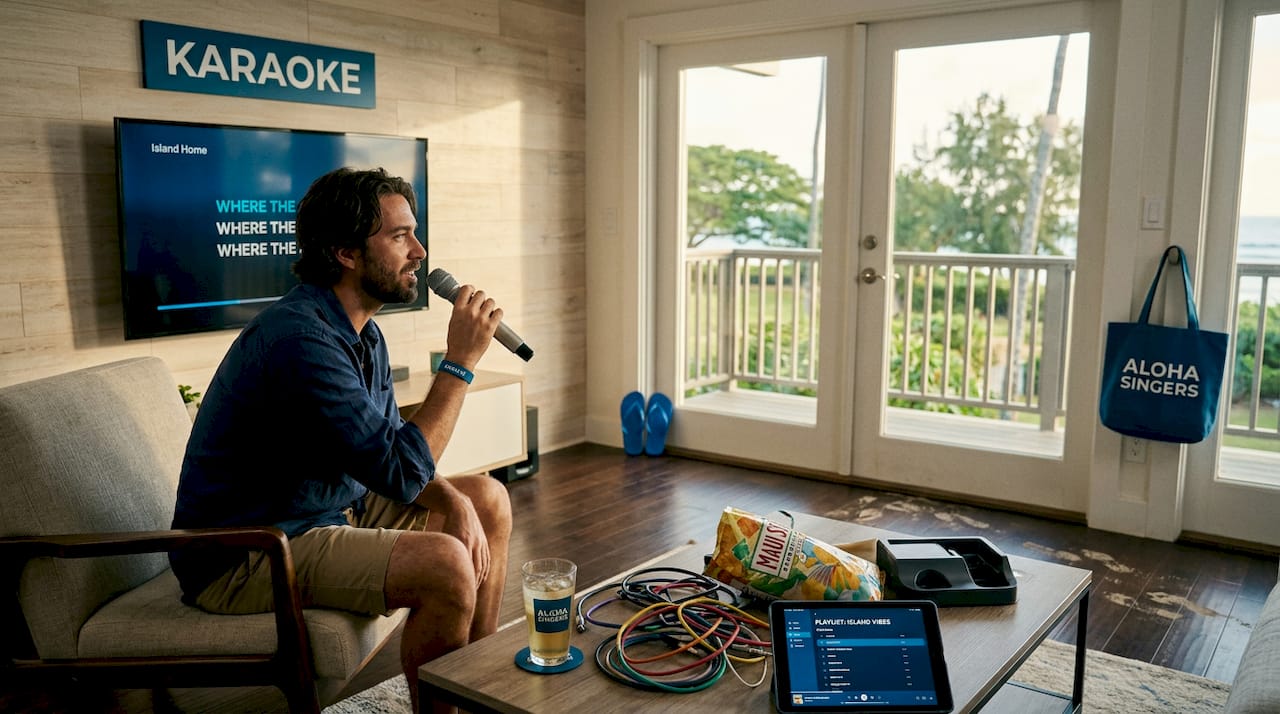
Step 2: Nail the guest count. Small groups of 6 to 10 people work best for frequent singing and intimacy. Larger groups are absolutely doable, but they need better organization, a sign-up system, and tighter song rotation to keep everyone involved.
Step 3: Build a well-rounded playlist. A varied playlist of upbeat classics, ballads, and duets with a shared list before the event keeps guests engaged and reduces waiting. Here’s what a strong playlist mix looks like for an Oahu family celebration:
Crowd openers: High-energy songs everyone knows (“Don’t Stop Believin’,” “Uptown Funk,” “Can’t Stop the Feeling”)
Ballads: Crowd pleasers for confident soloists (“I Will Always Love You,” “My Heart Will Go On”)
Local flavor: Hawaiian classics like “Somewhere Over the Rainbow” by Israel Kamakawiwoole or any local favorites the family loves
Duets: Songs that pull two people on stage together and naturally boost energy
Kids or teen picks: Include age-appropriate choices if it’s a family birthday or graduation party
Step 4: Manage song selection. Create a shared digital queue before the night using apps like KaraFun or a simple Google doc where guests pre-select songs. This cuts the awkward “I don’t know what to sing” delay that stalls every poorly planned karaoke night.
Step 5: Pick a theme (optional but powerful). Themes like “80s Night,” “Disney Songs Only,” or “Decades Challenge” make song selection fun and give guests something to build anticipation around. For a graduation party, a “Songs From Our Childhood” theme hits emotionally every time.
These karaoke party planning tips can also help you fine-tune the format for different event sizes and age groups.
Pro Tip: Always include at least two or three “universal” songs in your playlist. These are songs that almost anyone will either know or enjoy watching someone else perform. “Bohemian Rhapsody” and “Living on a Prayer” are classics for a reason. They create audience participation even from people not singing.
With your guests and playlist planned, the next step is setting up an inviting space and managing hosting to keep the night flowing.
Hosting tips and troubleshooting for smooth karaoke fun
Even the best-planned karaoke setup hits bumps. The difference between a frustrating night and a fun one is how prepared the host is to handle them.
Before the night starts:
Test mics, cables, and speakers before guests arrive and keep backups to prevent mid-song failures. Nothing kills momentum faster than a mic that cuts out during the chorus.
Have a charged backup device (phone or tablet) with your karaoke app ready to go if the main system fails.
During the event:
Use a sign-up sheet or whiteboard to manage singing order. It keeps things fair and removes the awkward “who’s next?” pause.
Encourage a no-judgment zone mindset. Use props and group songs to lower stage fright, especially for families and first-timers. A box of fun props (hats, sunglasses, inflatable mics) signals to guests that this is a safe, silly space. That one detail gets hesitant performers on stage.
If energy starts to dip around the two-hour mark, call a 10-minute “snack break” and play upbeat background music. Guests return refreshed.
For shy guests: Duets and group songs are your best tool. When someone doesn’t have to stand alone at the mic, the pressure drops significantly. “Don’t Go Breaking My Heart,” “Summer Nights,” or any call-and-response style song works perfectly for drawing out quieter guests.
“A no-judgment zone and well-organized karaoke setup reduce anxiety and help everyone participate, creating a special shared experience.” — KaraFun
For more ideas on keeping your karaoke event hosting lively from start to finish, we’ve put together event-tested strategies for Oahu gatherings specifically.
Once your event is running smoothly, it’s important to consider legal compliance and venue-specific details for public or rented spaces.
Legal and venue considerations for Oahu karaoke events
Most families don’t think about music licensing until they’re told they can’t use a song. Knowing the rules ahead of time keeps your event running without surprises.
Here’s what to check before you book:
Public performance licenses: Venues in the US typically hold the required public performance license through organizations like ASCAP, BMI, and SESAC. Hosts must use commercial-grade karaoke media to comply. If you’re using YouTube for karaoke at a public or ticketed event, that can be a licensing gray area. Using a paid karaoke app or licensed media removes the risk.
Age restrictions: Many Oahu venues enforce age limits, especially for late-night events. Always confirm before booking a venue for a teen graduation party or family birthday.
Private room availability: Oahu family planners should check allowed ages, private room availability, food and drink rules, and song list suitability for kids and teens. Private rooms give you far more control over volume, content, and energy than open karaoke bars.
Sound restrictions: Ask the venue about noise limits and end times. This matters especially for outdoor or backyard setups in residential neighborhoods here on Oahu.
Food and drink policies: Some venues charge a fee if you bring your own food. Knowing this upfront prevents surprises on event day.
For families renting equipment and hosting at home or a private venue, these karaoke rentals and venue tips walk through the most common setup scenarios and what to confirm with your rental provider.
Understanding legal and venue factors completes the main planning phase. Let’s look at a broader perspective on why karaoke nights hold a unique place in family celebrations.
Why karaoke nights can become treasured family memories
Here’s something we believe strongly after working with Oahu families across hundreds of events: karaoke is not really about singing. It’s about permission. Permission to be imperfect. Permission to be silly. Permission to stand in front of the people you love and do something vulnerable.
Most family gatherings have a natural ceiling on how connected people actually feel. You eat, you chat, you take photos. But karaoke breaks through that ceiling. When grandma grabs the mic for “Total Eclipse of the Heart” or a teenager nervously performs a song they’ve been practicing in their room, something real happens. Those moments become the ones people talk about for years.
The research supports this too. A well-organized karaoke setup with a no-judgment zone reduces anxiety and helps everyone participate, creating a special shared experience. That shared experience is exactly what makes birthdays and graduations feel like genuine celebrations rather than just gatherings.
The structured approach we’ve covered in this guide, thoughtful planning, the right equipment, an inclusive hosting style, isn’t just about logistics. It’s about removing the friction that keeps people on the sidelines. When the host is relaxed and prepared, guests feel it. They take more risks. They get on stage sooner. They have more fun.
Building family memories with karaoke is something we take seriously at Terriffics Entertainment, because we’ve seen firsthand what a well-run karaoke night does for a group. It’s one of those activities that rewards preparation with genuine joy.
Make your Oahu karaoke night effortless with Terriffics Entertainment
Planning every detail yourself is rewarding, but there’s a faster path to a flawless karaoke night. Terriffics Entertainment brings everything you need directly to your Oahu event, fully set up and ready to go.
Our karaoke rental in Oahu includes professional wireless microphones, a digital karaoke library with thousands of songs, quality speakers, and mood lighting, all handled by our team. No scrambling for equipment. No tech headaches. Just a great night for your family. Want to level it up? Our DJ and photobooth karaoke packages bundle everything into one smooth celebration experience. Browse real setups from past events in our party rental gallery to get inspired for your own party. Book early to lock in your date and customize your song list and theme with our friendly team.
Frequently asked questions
How long should a karaoke party last?
Plan for about 3 to 4 hours to balance singing, socializing, and breaks without tiring guests. That window gives everyone a turn without the night dragging.
What equipment is essential for a home karaoke night?
You need a screen for lyrics, a karaoke content source like apps or YouTube, at least one wireless microphone, external speakers, and backups to prevent interruptions. Test everything before guests arrive.
Are there age restrictions for karaoke venues on Oahu?
Many Oahu venues have age limits, especially late at night, so always check allowed ages and room options before booking. Private room venues are usually the most family-friendly choice.
Do I need a license to host karaoke at a venue?
Generally, the venue holds the public performance license through organizations like ASCAP or BMI, but hosts must use commercially licensed karaoke media to stay compliant.
How can I encourage shy guests to sing?
Create a no-judgment zone, start with duet or group songs, and use fun props to ease nerves and boost confidence. Singing alongside someone else removes most of the pressure for first-timers.
Recommended
Comments