
_edited.png)

2 to 5 Minute Graduation Slideshow: Exact Photo Count Formula

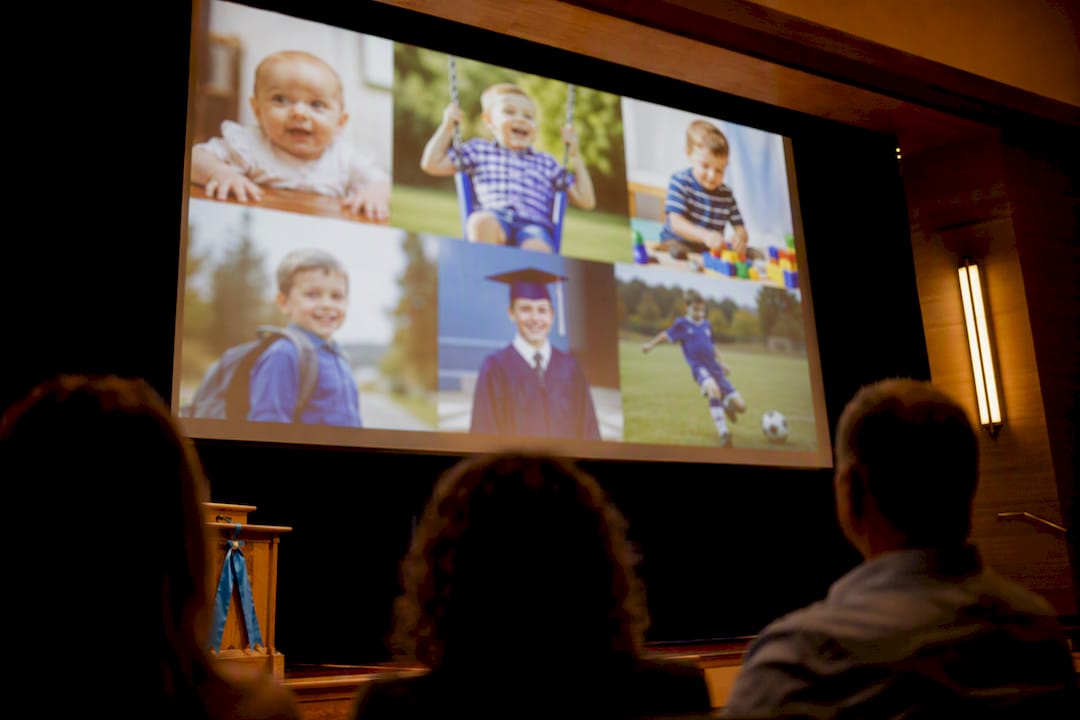
Aim for a 2 to 5 minute graduation slideshow, roughly 30 to 75 photos, paced at 3 to 5 seconds per photo. That range keeps a room full of relatives and friends actually watching instead of checking their phones. Stretch past that only if the slideshow is running as a background loop during a reception or standing in as the main tribute at a formal ceremony.
TL;DR:
Most graduation slideshows should last between 2 and 5 minutes, featuring 60 to 75 photos at a pace of 3 to 5 seconds per slide.
For emotional or detail-heavy images, extend the display time to 5 to 7 seconds, especially for slow-paced, meaningful photos.
Pacing and timing should be tested in advance on the actual display to ensure clarity and proper recognition, especially on larger screens.
Use chronological order to tell a clear story, but thematic segments can be effective for highlighting specific achievements or groups.
Professional slide creation services can ensure smooth playback, proper equipment setup, and backup options, reducing last-minute issues.
Table of Contents
How Long Should a Graduation Slideshow Be for Different Occasions?
The right graduation slideshow length depends entirely on where it fits into your event. A casual backyard party calls for something shorter and punchier than a formal ceremony reception where the slideshow gets its own moment in the spotlight.
Here’s how the three main categories break down:
Short (1 to 2 minutes): A quick highlight reel, often looping on a screen while guests mingle. Around 15 to 25 photos.
Recommended (2 to 5 minutes): The sweet spot for most graduation parties. Long enough to tell a real story, short enough to hold attention. This is the range Tribute recommends for graduation parties specifically, and it lines up with what event pros see work in practice.
Long or dedicated (6 to 12 minutes): Reserved for a formal program moment where the slideshow is the entertainment, not background filler.
The math is simple once you pick a target. Use this formula: photos = minutes × (60 ÷ seconds per photo). At 4 seconds per photo, a 3-minute show needs about 45 photos. A 5-minute show lands closer to 75. A 10-minute dedicated presentation, paced a bit faster in spots, can run anywhere from 150 to 300 images depending on how much you mix in quick montage sections.
Quick reference:
Target length | Photos needed (at 3–5s each) |
3 minutes | 15 to 60 photos |
5 minutes | 60 to 75 photos |
10 minutes | 150 to 300 photos |
Longer runtimes only make sense for background loops during a reception, where guests drift in and out and nobody’s expected to watch start to finish.
How Many Seconds Per Photo Should You Use?
The 3 to 5 second baseline works for most photos because it gives viewers enough time to recognize faces and read a caption without the show dragging. That baseline translates to roughly 15 photos per minute, which is the fastest way to reverse-engineer your photo count once you know your target length.
But not every photo deserves the same amount of screen time. Pacing should shift with the emotional weight of the image:
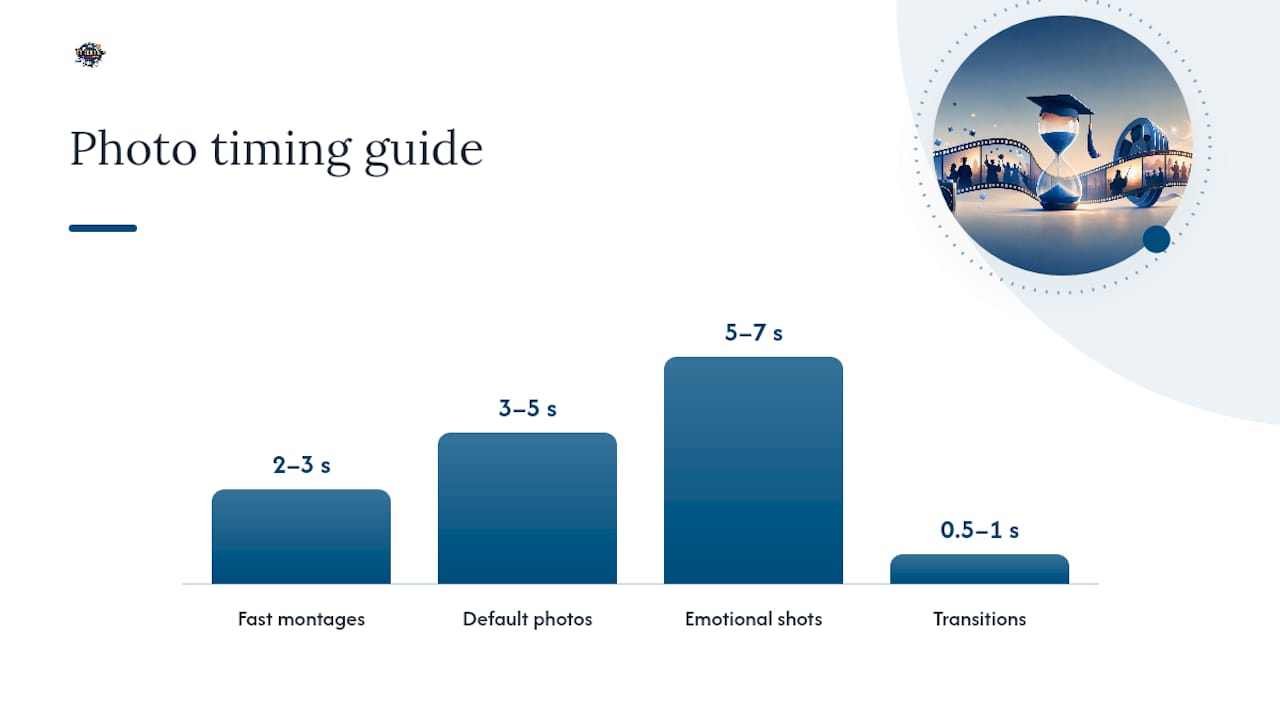
2 to 3 seconds: Fast montages, group shots of friends, action photos from sports or activities.
3 to 5 seconds: The default for most standard photos, portraits, and everyday memories.
5 to 7 seconds: Slower, detail-heavy shots, baby photos, or emotional moments that need a beat to land.
Structure the tempo like a story arc. Childhood photos can move a little slower since viewers want to soak in the nostalgia. A friend-group montage can speed up to build energy. Then slow back down for the graduation photos themselves, since that’s the emotional payoff everyone came to see.
Transitions matter too. Keep them between 0.5 and 1 second. Anything longer starts to feel sluggish; anything shorter can feel jarring, especially for older relatives who need a moment to register each new image.
Pro Tip: Preview your slideshow at full pacing on a laptop or tablet screen before finalizing it. What reads clearly on a giant projector can look rushed or blurry on a smaller screen, and vice versa. Catching pacing problems early saves you from re-editing the night before.
What’s the Best Way to Order Graduation Photos?
Chronological order is the default for good reason. It gives viewers a built-in narrative arc, from baby pictures through high school, without requiring any explanation.
That said, thematic sections work well for specific stretches. If your graduate spent four years buried in one sport, or has a huge friend group with plenty of great candids, breaking those out into their own mini-segment can hit harder than scattering them chronologically.
A tight structure that works well:
Opening title slide with the graduate’s name and a short caption or quote.
Chronological core from childhood through senior year, with one or two defining photos per phase rather than every photo you have.
Thematic bridge (sports, arts, friend group) if there’s enough strong material to justify it.
Closing slide with the graduation photo and a final message or date.
The biggest trimming mistake is trying to include everything. Cut near-duplicate shots (you don’t need four photos from the same birthday party), collapse smaller groups into a two-or-three-photo collage frame, and keep captions to a few words. A caption is a label, not a paragraph.
How Does Song Length Affect Slideshow Duration?
Music is often the easiest way to figure out how long your show should run. One song runs about 3 to 4 minutes and maps to roughly 40 to 60 photos at standard pacing. Two songs stretch that to 6 to 8 minutes, which works well for a dedicated presentation with distinct sections.
A few things to keep in mind when matching photos to music:
Pick songs whose mood matches the section they’re playing under. Upbeat tracks for the friend-group montage, something quieter for the childhood section.
Line up major photo transitions with musical beats or verse changes when you can. It makes the whole thing feel intentional instead of random.
Instrumental tracks are more forgiving if you’re adding a voiceover or speech; lyric-heavy songs can compete with spoken audio, so duck the volume during any narration.
Confirm you’re using personal or properly licensed music if the slideshow will play at a public or ticketed event.
What Should Be on Your Pre-Slideshow Checklist?
Start pulling this together two weeks before the event, not two days. That gives you enough runway to chase down photos from family members who are notoriously slow to respond to a group text.
Here’s the order that avoids last-minute panic:
Request high-resolution photos from parents, siblings, and close friends, and set a firm deadline.
Sort and select images using the pacing and photo-count math above.
Edit and export at the correct aspect ratio for your display, matching widescreen (16:9) formats for most modern projectors and TVs.
Test the exported file on the actual screen and speakers you’ll use at the event, not just your laptop.
Confirm audio levels, check that every photo is legible from typical viewing distance, and bring a backup copy on a USB drive.
A few technical notes worth locking in before export: stick with a standard container format like MP4, keep resolution at 1080p unless the venue’s screen supports 4K, and name your file something obvious like GradSlideshow_Final.mp4 so nobody’s fumbling through files five minutes before showtime. If you’re gathering submissions from multiple relatives, a shared photo-collecting tool like Nara can cut down on the group-text chaos of chasing down files individually.
What Are the Most Common Graduation Slideshow Mistakes?
Most slideshow problems trace back to a handful of repeat offenders, and all of them are fixable in one editing pass.
Running too long: Trim ruthlessly. If it’s pushing past 5 minutes for a party setting, cut duplicates and combine similar shots into collages.
Pacing too fast: If a photo needs a story explained on the spot, give it more than 3 seconds. Detail-heavy or emotional shots need 5 to 7 seconds minimum.
Unreadable captions: Keep text short and high-contrast. A caption nobody can read in two seconds is a caption that shouldn’t exist.
Inconsistent aspect ratios: Portrait photos on a widescreen projector create awkward black bars. Letterbox-crop or add a blurred background fill instead.
Skipping the test run: Always preview the final export at target pacing, ideally on the actual screen, and in lighting close to what the venue will have.
What Do Event Pros Actually See Work at Graduation Parties?
Across parties on Oahu, the 2 to 5 minute window consistently keeps the room engaged, with the slideshow often looping quietly during dinner rather than being watched in silence.
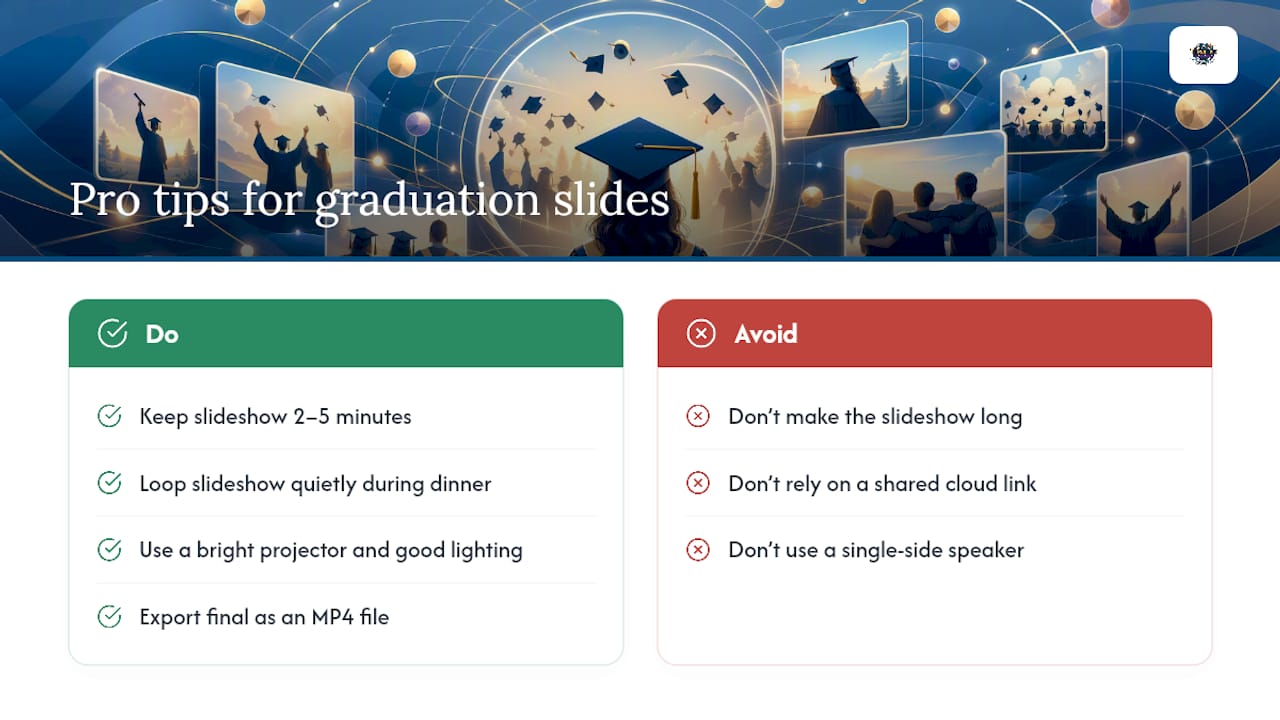
On-site, brightness and speaker placement matter more than most people expect. A dim projector washes out under string lights, and a single speaker off to one side leaves half the yard straining to hear. It is best to have the final export as an MP4 rather than a shared cloud link that might not load on-site.
If you’d rather hand off the technical side entirely, that service is available.
— Terriffics
Want a Professionally Produced Slideshow and Flawless Playback?
Building the perfect slideshow is one thing. Getting it to play correctly on unfamiliar equipment, at the right volume, without a frozen screen mid-toast, is another. Professional services can handle both sides so you’re not troubleshooting cables while your guests are already seated.
Slideshow creation services can cover file prep, aspect-ratio formatting for the venue’s screen, an on-site test run before guests arrive, and provide a backup copy. Such services often pair with DJ sound and lighting setups so slideshow audio and party sound come from the same reliable system instead of from mismatched setups. Browse our event gallery to see past setups, or head straight to our photobooth and event rental page to request a quote for your graduation date on Oahu.
Sources
The pacing and duration guidance above draws from PCWorld’s slideshow timing guide for the seconds-per-photo rule, Adobe’s Premiere Elements documentation on default photo durations, Tribute’s graduation slideshow guide for party-length recommendations, and KeptMemories for song-to-photo mapping.
Recommended
Comments